




New BI analysts and data engineers
First day of a new BI team member joining the DP project
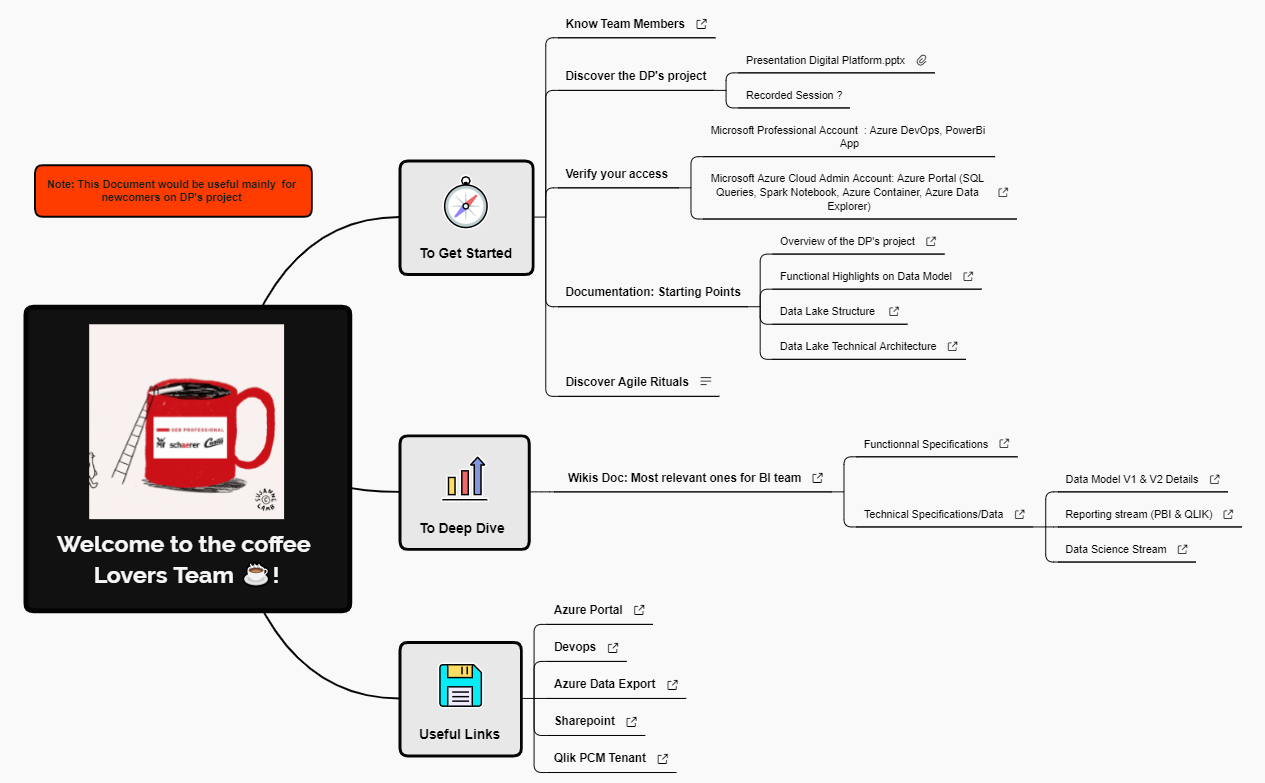
The 'Welcome to the coffee Lovers Team ☕!' mind map template is a structured onboarding guide for new team members joining the DP project at a coffee-focused organization. It covers 29 nodes across four main branches: 'To Get Started', 'To Deep Dive', 'Useful Links', and a note. Key resources include 'Presentation Digital Platform.pptx', 'Microsoft Professional Account : Azure DevOps, PowerBi App', and 'Data Lake Technical Architecture'. This template serves as a centralized cheat sheet for accessing project documentation, verifying system access, and understanding Agile rituals. It is designed to accelerate ramp-up time for BI team newcomers by providing clear paths to functional and technical specifications, such as 'Data Model V1 & V2 Details' and 'Reporting stream (PBI & QLIK)'.
Terms and ConditionsFirst day of a new BI team member joining the DP project
Preparing a structured onboarding session for multiple new hires
Auditing and updating project documentation for new team members
Open the template in Xmind and update the 'To Get Started' branch with specific team member names and project access instructions.
Customize the 'To Deep Dive' and 'Useful Links' branches by adding your team's specific wiki links, technical specifications, and platform URLs.
Save your changes and export the finalized mind map as a PDF or image to share with new hires during their ramp-up process.
It includes 29 nodes organized into four sections: getting started, deep dive resources, useful links, and a note. It covers team member introductions, project overviews, access verification steps, documentation starting points, and Agile rituals.
Open the .xmind file in Xmind and follow the branches sequentially: start with 'To Get Started' to introduce the team and project, then move to 'To Deep Dive' for technical specs, and finally explore 'Useful Links' for platform access.
Yes, the Xmind template is fully editable. You can customize node text, add new branches, and export it as an image or PDF for printing.
It references Microsoft Professional Account (Azure DevOps, PowerBi App) and Microsoft Azure Cloud Admin Account (Azure Portal, SQL Queries, Spark Notebook, Azure Container, Azure Data Explorer).
Absolutely. You can replace the existing links (Azure Portal, Devops, etc.) with your own project-specific URLs by editing the node text in Xmind.
Share your mind map templates with creators around the world and start earning from your work.

