 Xmind Favorites
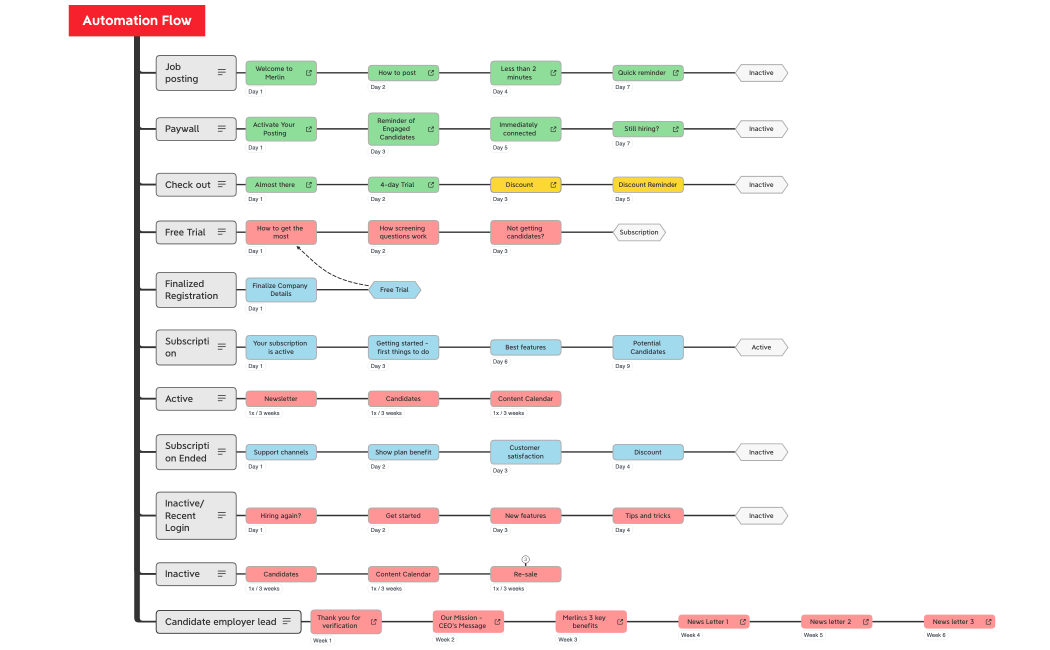
Automation Flow
Free


598 templates · Clear onboarding plan templates to welcome new hires and ramp them up fast.
Xmind Favorites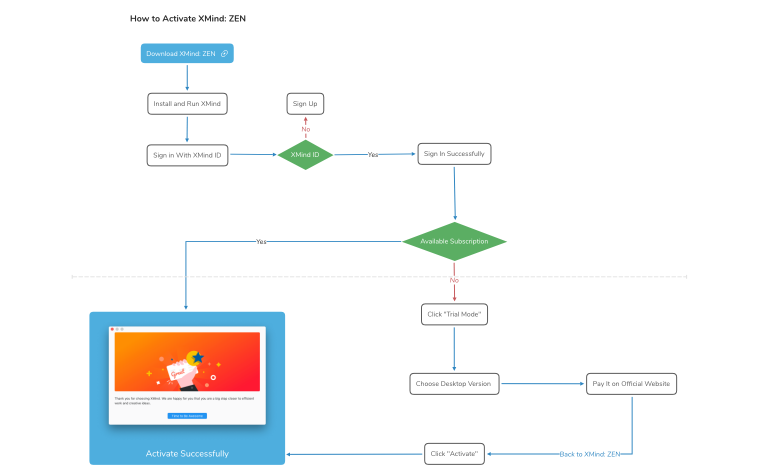 Xmind Favorites
 Xmind Favorites
 Xmind Favorites
 Xmind Favorites
 Xmind Favorites
 Xmind Favorites
 Xmind Favorites
 Xmind Favorites
 Xmind Favorites
 Xmind Favorites
 Xmind Favorites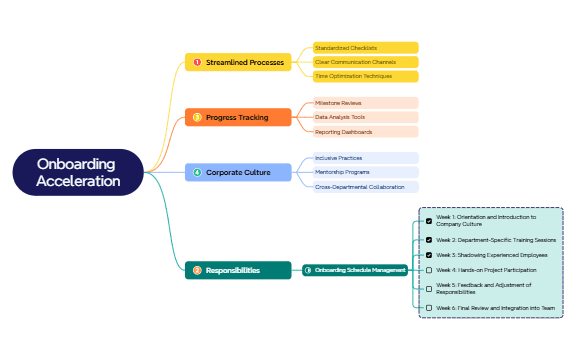
Structure onboarding journeys, assign tasks, and ramp new hires faster with Xmind.
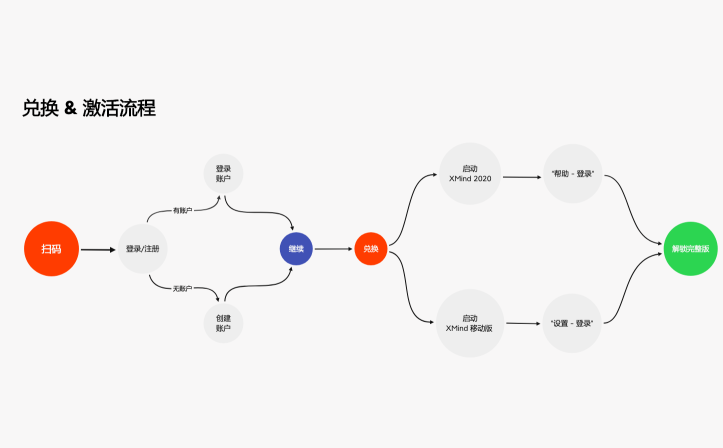
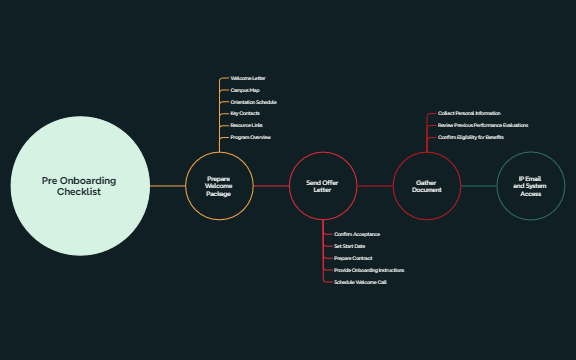
Team leads and founders utilize an onboarding plan template to transform complex induction workflows into manageable visual roadmaps. These templates serve PMs, marketers, and analysts by standardizing the transition from new hire to productive team member through detailed 30-60-90 day milestones. Beyond internal HR needs, the library supports account managers and customer success leads in building structured user activation flows and product walkthroughs. Each template provides a spatial layout for tracking technical setup, cultural integration, and key performance indicators. Whether you are coordinating a customer success kickoff or a departmental induction, these visual structures ensure no critical step is missed during the high-stakes first few months. The collection includes diverse formats ranging from simple checklists to multi-layered radial maps for comprehensive organizational overviews.
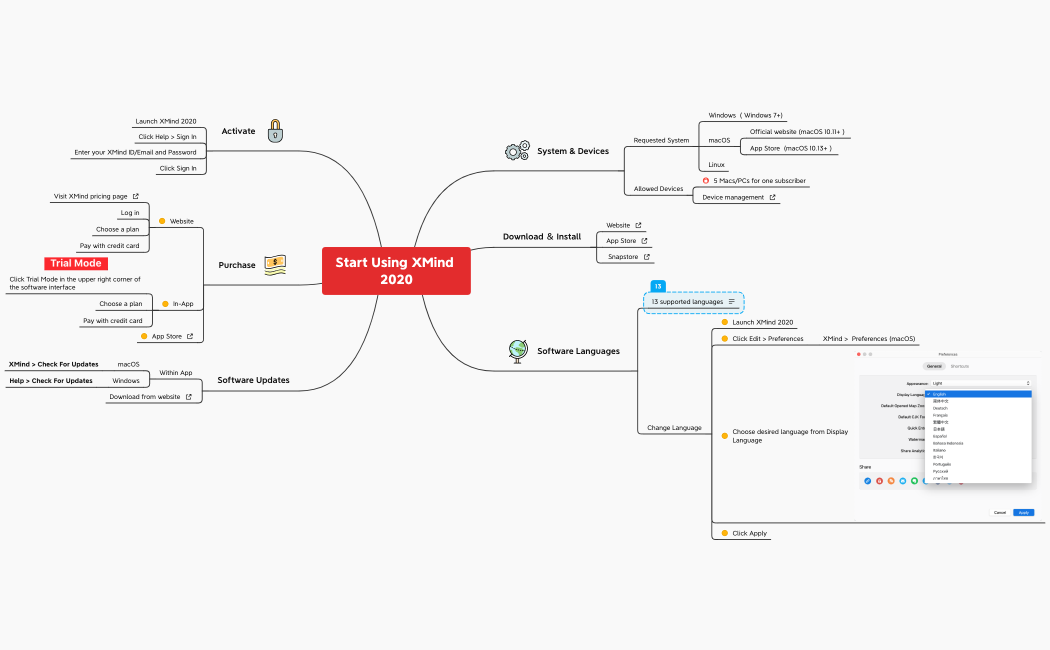
HR teams use the radial map structure to visualize departmental hierarchies and reporting lines for new hires during induction.
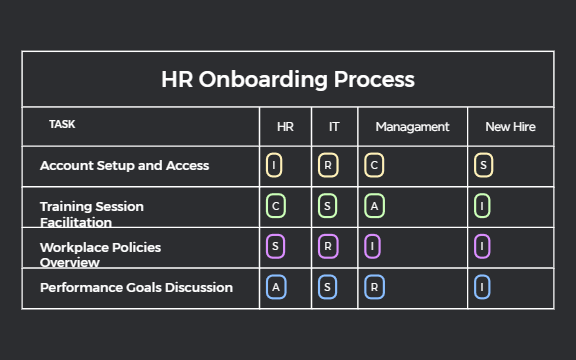
The matrix view allows account managers to map customer success milestones against specific calendar dates for transparent project tracking.
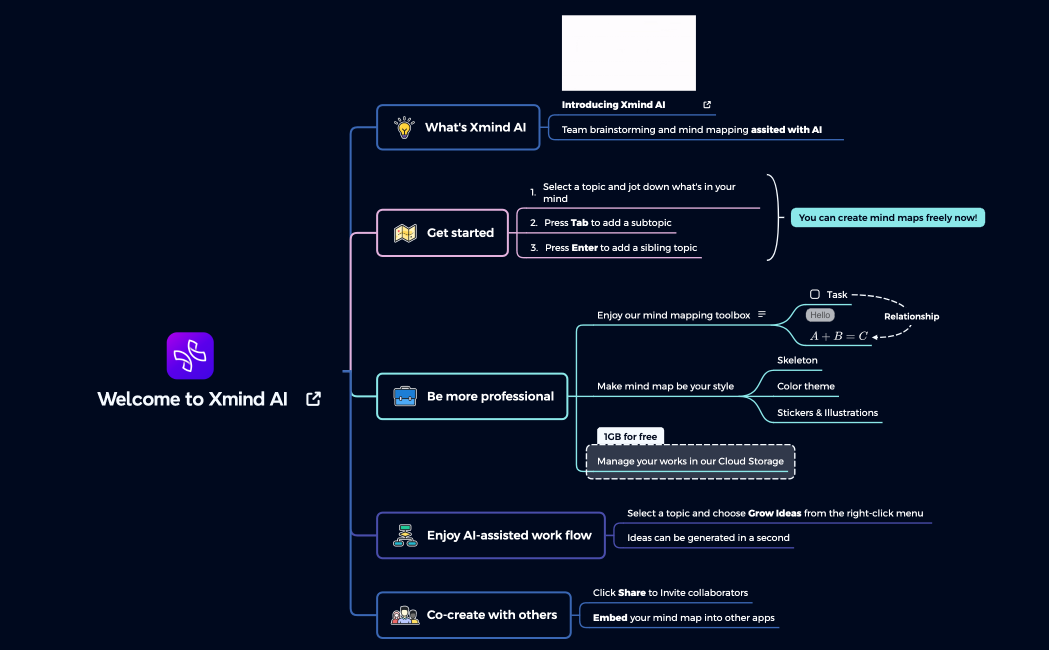
Xmind AI Copilot assists in generating comprehensive task lists for technical documentation and product walkthroughs based on initial prompts.
Visual-first mind maps enable team leads to present complex 30-60-90 day plans without overwhelming the recipient with text-heavy documents.
Export options allow founders to share onboarding roadmaps as high-resolution images or PDFs for easy distribution to external stakeholders.
Select a specialized layout Choose an onboarding plan template that matches your specific goal, such as a 30-60-90 day hire plan or a customer kickoff map.
Define key success milestones Populate the main branches with specific activation goals and training requirements tailored to the individual role or user persona.
Attach relevant documentation Insert hyperlinks and file attachments directly into the map nodes to centralize all training manuals and product documentation.
Refine with AI assistance Use the built-in AI tools to expand on specific onboarding tasks or to brainstorm potential friction points in the user journey.
Share for collaborative review Export your completed onboarding roadmap to PDF or PNG to align with HR departments and executive leadership before the start date.
Many community Onboarding Plan templates are free for anyone to open and use immediately. Premium templates require a one-time purchase per file rather than a recurring subscription. After purchasing a premium template, you own the file permanently and can edit it offline in the Xmind app.
Turn your best mind maps into templates the whole community can use.
