




Scrum masters and team leads
Running a weekly team sync to review progress and blockers
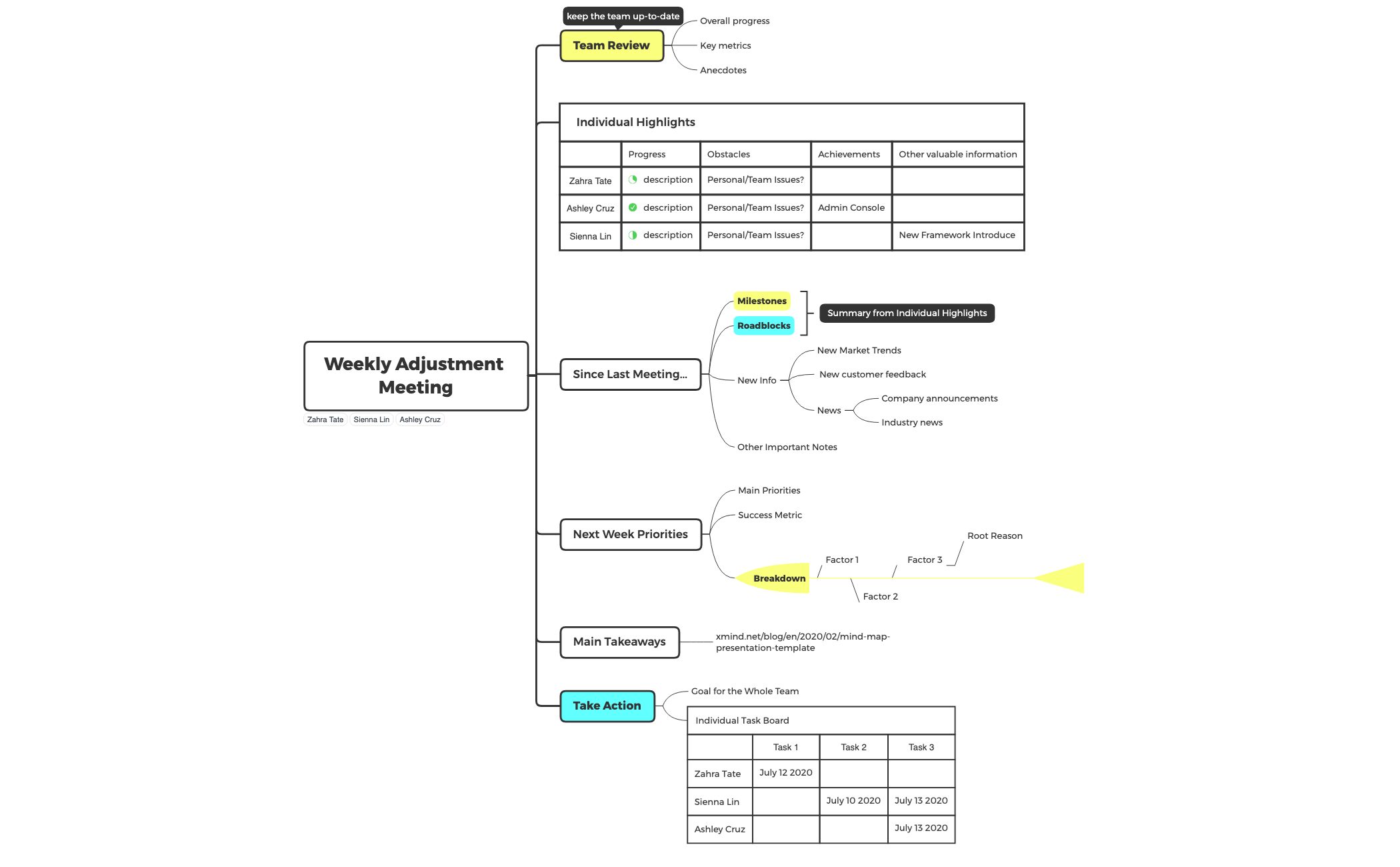
The Weekly Adjustment Meeting mind map template helps teams structure their weekly syncs with 49 nodes across 6 core branches. It covers team review, individual highlights, since-last-meeting updates, next week priorities, main takeaways, and action items. Key nodes include 'Key metrics', 'Obstacles', and 'New Market Trends'. This template is designed for agile teams and managers who need a repeatable framework for efficient stand-ups or retrospectives. It includes a 'Take Action' section with an 'Individual Task Board' that assigns tasks to team members like 'Zahra Tate' and 'Sienna Lin' with specific dates. The layout is a radial mind map with color-coded branches, making it easy to scan during live meetings.
Условия использованияRunning a weekly team sync to review progress and blockers
Conducting a retrospective to capture what happened since last meeting
Planning next week's priorities and assigning tasks with deadlines
Open the template in Xmind and begin by updating the Team Review branch with key metrics and overall progress anecdotes.
Fill in the individual highlights for each member while recording milestones and market trends that have emerged since the last meeting.
Define the priorities for the upcoming week and use the Take Action section to assign specific tasks and dates to team members.
The template includes 6 main branches: Team Review, Individual Highlights, Since Last Meeting..., Next Week Priorities, Main Takeaways, and Take Action. It has 49 nodes covering metrics, obstacles, milestones, and task assignments.
Open the .xmind file in Xmind, then fill in each branch during the meeting. Start with Team Review, move to Individual Highlights, discuss Since Last Meeting, set Next Week Priorities, capture Main Takeaways, and assign tasks in Take Action.
Yes, the template is fully editable in Xmind (desktop, web, or mobile). You can customize nodes, add icons, and export as PDF or image for printing.
The 'Take Action' section includes a 'Goal for the Whole Team' and an 'Individual Task Board' where you assign tasks to team members with due dates, like 'Zahra Tate - July 12 2020'.
Absolutely. You can add or remove nodes under 'Progress', 'Obstacles', 'Achievements', and 'Other valuable information' to fit your team's needs.
Поделитесь своими шаблонами интеллект-карт с авторами по всему миру и начните зарабатывать на своих работах.

