




School administrators, curriculum leads, and teacher representatives
During a school-wide strategic planning retreat to define a shared vision for student outcomes.
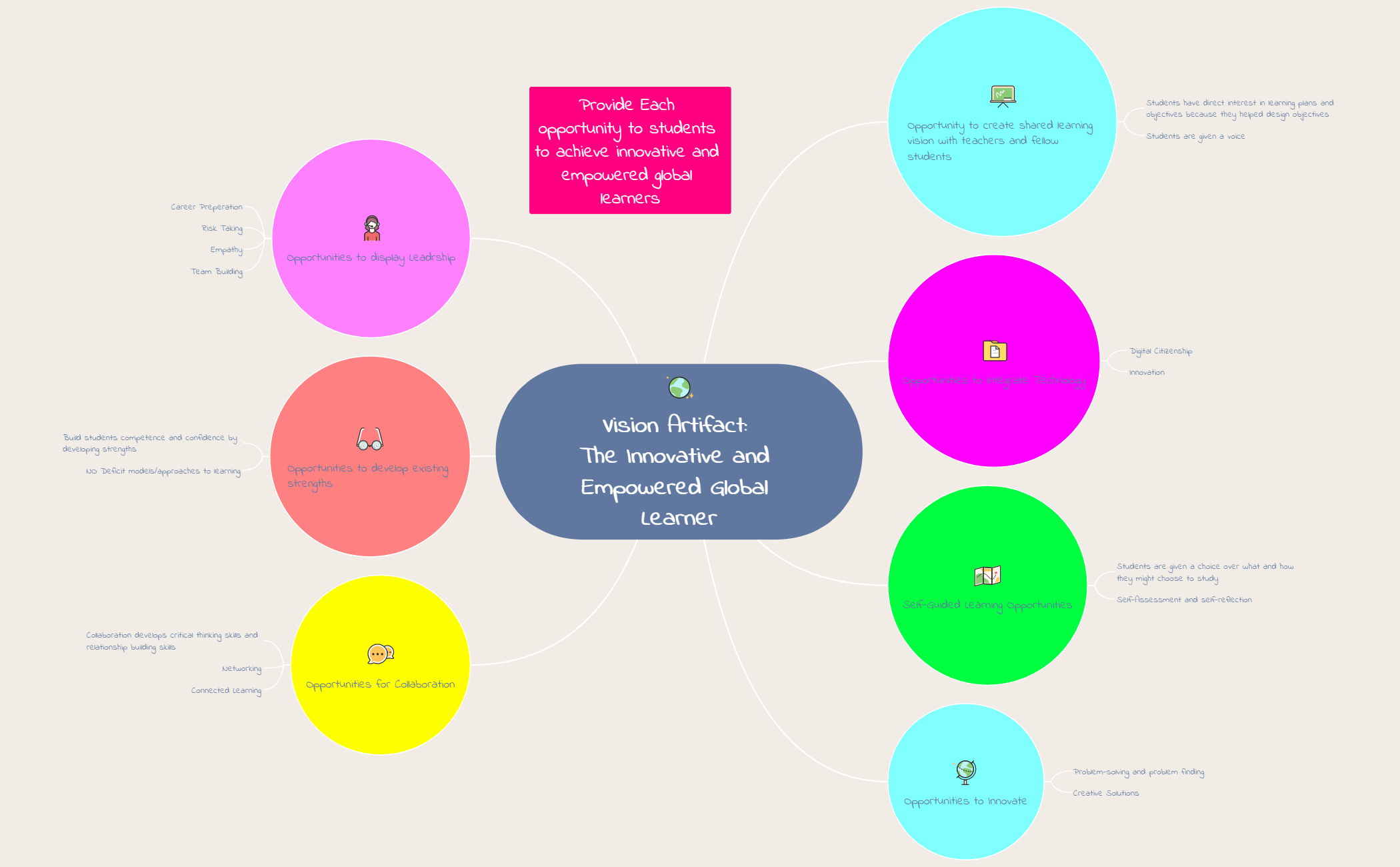
The Vision Artifact mind map template helps educators and instructional leaders design a shared learning vision that produces innovative and empowered global learners. With 26 nodes across 8 opportunity branches, it covers key areas such as 'Opportunity to create shared learning vision with teachers and fellow students', 'Opportunities to integrate Technology', and 'Self-Guided Learning Opportunities'. The template emphasizes student voice, digital citizenship, self-assessment, creative problem-solving, collaboration, strengths-based development, and leadership skills like empathy and risk-taking. It serves as a strategic planning tool for schools and districts aiming to foster 21st-century competencies and global citizenship. The visual layout is organized as a radial mind map with the central vision at the root and eight distinct opportunity branches radiating outward, each with supporting sub-nodes and actionable ideas.
Terms and ConditionsDuring a school-wide strategic planning retreat to define a shared vision for student outcomes.
When designing a new professional development program focused on 21st-century skills and global citizenship.
At the start of a school year to align classroom practices with a learner-centered, strengths-based approach.
Open the Vision Artifact file in Xmind and review the eight opportunity branches to understand the core structure of the learning vision.
Replace placeholder text with your specific school strategies and add new subtopics to capture unique student voice or technology integration needs.
Refine the visual layout of your strategic plan and export the map as a PDF or image to share with global education stakeholders.
The template includes 8 main opportunity branches: shared learning vision, technology integration, self-guided learning, innovation, collaboration, developing existing strengths, leadership, and providing each opportunity to students. Each branch contains specific sub-nodes with actionable strategies.
Open the .xmind file in Xmind, then replace the generic branch content with your school's specific goals. Use the branches as discussion prompts during staff meetings to co-create a shared vision for innovative and empowered global learners.
Yes, the template is fully editable in Xmind (desktop, web, or mobile). You can add, remove, or modify nodes. To print, export the mind map as PDF or image from Xmind.
This branch focuses on building students' competence and confidence by developing their existing strengths, explicitly avoiding deficit models or approaches to learning.
Absolutely. The sub-nodes 'Digital Citizenship' and 'Innovation' can be expanded with your own curriculum-aligned technology goals, tools, and activities.
Share your mind map templates with creators around the world and start earning from your work.

