




Students and self-learners
Preparing for an exam by mapping out key theories and their connections
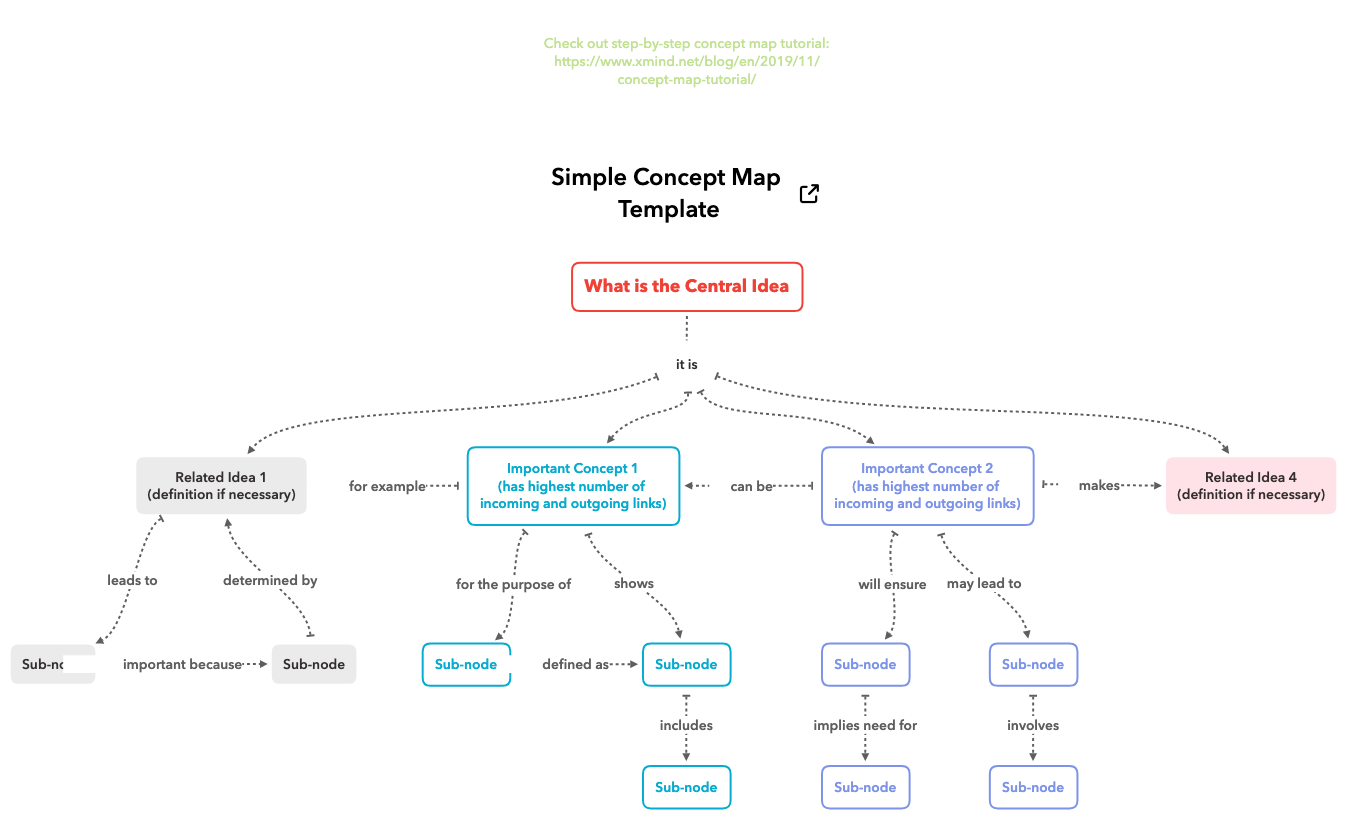
The Simple Concept Map Template is a versatile mind map structure designed for students, educators, and professionals to visually organize and connect ideas. It contains 17 nodes across one sheet, with a central root labeled 'Simple Concept Map Template' and branches including 'What is the Central Idea', 'Important Concept 1 (has highest number of incoming and outgoing links)', and 'Important Concept 2 (has highest number of incoming and outgoing links)'. The template also features 'Related Idea 1' and 'Related Idea 4' with definitions, plus a link to a step-by-step concept map tutorial. This concept map template helps users clarify relationships between concepts by highlighting key nodes with the most connections. It is ideal for brainstorming, studying, or planning projects, and can be easily customized in Xmind.
Conditions d'utilisationPreparing for an exam by mapping out key theories and their connections
Brainstorming a new project plan with team members to visualize dependencies
Teaching a complex topic in class and need a visual aid to show relationships
Open the template in Xmind and replace the central root node with your main topic or core concept.
Edit the important concept nodes and related idea branches to include your specific data and detailed definitions.
Use the connection tool to link related nodes and adjust the visual layout to clarify the hierarchy of your map.
The template includes 17 nodes organized around a central idea, with key concepts like 'Important Concept 1' and 'Important Concept 2' that have many connections, plus related ideas with definitions and a tutorial link.
Start by defining your central topic in 'What is the Central Idea'. Then add key concepts as nodes, linking them to show relationships. Use 'Important Concept' nodes for core ideas and 'Related Idea' nodes for supporting details.
Yes, the template is free to use in Xmind (desktop or web). You can edit all nodes, add new ones, change colors, and rearrange connections to fit your needs.
Yes, after customizing your map in Xmind, you can export it as an image or PDF and print it for offline use or presentations.
Use the linking feature in Xmind to draw arrows between related nodes. The template highlights 'Important Concept' nodes as hubs, so connect other ideas to them to show hierarchy and relationships.
Partagez vos modèles de cartes mentales avec des créateurs du monde entier et commencez à gagner avec votre travail.

