


'%3e%3cpath%20d='M26.7002%206.05468C26.7002%205.85186%2026.7636%205.68707%2026.8904%205.5603C27.0171%205.43354%2027.1788%205.37332%2027.3753%205.37966L27.9267%205.37966C28.1295%205.37966%2028.2911%205.43987%2028.4116%205.5603C28.532%205.68073%2028.5922%205.84869%2028.5922%206.06419L28.5827%2023.4206L27.8696%2025.8069C27.8506%2025.864%2027.8253%2025.9083%2027.7936%2025.94C27.7555%2025.9781%2027.7112%2025.9971%2027.6605%2025.9971C27.5844%2025.9971%2027.5242%2025.9749%2027.4798%2025.9305C27.4418%2025.8925%2027.4165%2025.8481%2027.4038%2025.7974L26.6907%2023.4301L26.7002%206.05468Z'%20fill='%23FF9334'/%3e%3cpath%20d='M18.8701%2012.6006C19.3331%2012.6006%2019.6787%2012.9599%2019.6787%2013.4092C19.6786%2013.8694%2019.3338%2014.2295%2018.8701%2014.2295H9.80762C9.33292%2014.2294%208.98744%2013.8702%208.9873%2013.4092C8.9873%2012.9591%209.33368%2012.6007%209.80762%2012.6006H18.8701ZM18.8701%208.44531C19.3313%208.44531%2019.6787%208.79114%2019.6787%209.24219C19.6785%209.70065%2019.3354%2010.0742%2018.8701%2010.0742H9.80762C9.33132%2010.0741%208.98752%209.70148%208.9873%209.24219C8.9873%208.79034%209.33542%208.44539%209.80762%208.44531H18.8701Z'%20fill='%23FF9334'/%3e%3cpath%20d='M14.0703%2016.7578C14.5315%2016.7578%2014.8789%2017.1036%2014.8789%2017.5547C14.8787%2018.0132%2014.5356%2018.3867%2014.0703%2018.3867H9.80762C9.33132%2018.3866%208.98752%2018.014%208.9873%2017.5547C8.9873%2017.1028%209.33542%2016.7579%209.80762%2016.7578H14.0703Z'%20fill='%23FF9334'/%3e%3crect%20x='5.8398'%20y='4.2402'%20width='17.12'%20height='21.92'%20rx='2.16'%20stroke='%23FF9334'%20stroke-width='2.08'/%3e%3c/g%3e%3cdefs%3e%3cclipPath%20id='clip0_11502_53292'%3e%3crect%20width='32'%20height='32'%20fill='white'/%3e%3c/clipPath%3e%3c/defs%3e%3c/svg%3e)

Students and self-learners
Preparing for a computer science exam on operating systems
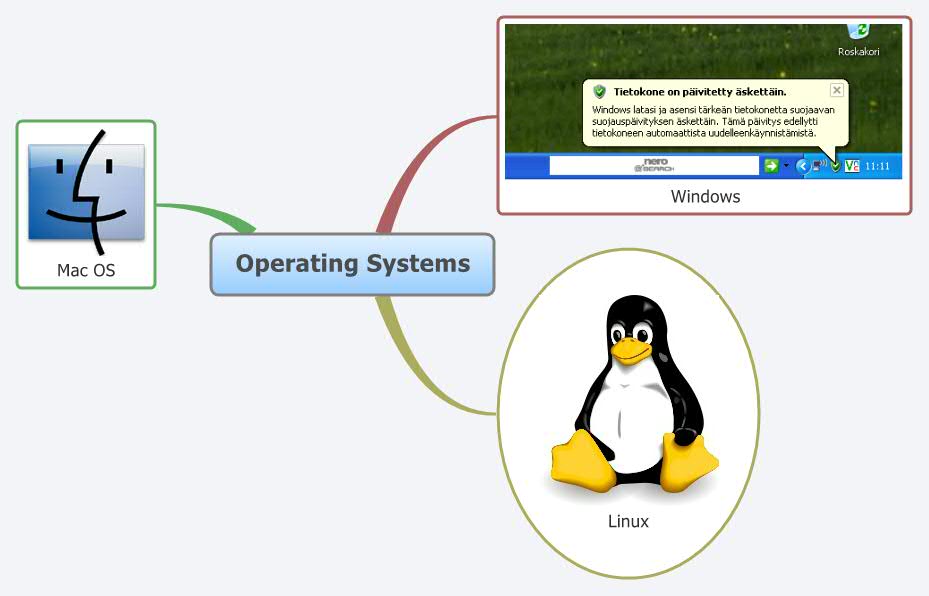
The Operating Systems mind map template provides a concise overview of the three dominant desktop operating systems: Windows, Linux, and Mac OS. Designed for IT professionals, students, and tech enthusiasts, this Xmind template organizes key facts about each OS into a single, easy-to-navigate diagram. With just three main branches, it serves as a quick reference or cheat sheet for comparing Windows, Linux, and Mac OS features, strengths, and use cases. The template's minimal structure makes it ideal for adding detailed notes under each OS, such as kernel type, file system, or common applications. Whether you're studying for a certification or evaluating platforms for deployment, this mind map offers a clear starting point for deeper exploration.
Terms and ConditionsPreparing for a computer science exam on operating systems
Evaluating which OS to deploy for a new server or development environment
Creating a training handout for new hires on company OS standards
Open the .xmind file in Xmind Desktop or Web to view the pre-structured branches for Windows, Linux, and Mac OS.
Insert child topics for specific OS features and use the Format panel or Insert menu to add icons, images, and custom styles.
Save your progress and export the final operating system comparison as an image, PDF, or outline for easy sharing.
The template includes three main branches for Windows, Linux, and Mac OS. Each branch is empty by default, allowing you to add custom notes, features, or comparisons as needed.
Open the template in Xmind, then add child nodes under each OS branch to list attributes like kernel, file system, security, or software availability. Use colors or icons to highlight differences.
Yes, the template is fully editable in Xmind Desktop or Web. You can export it as an image, PDF, or outline for printing or sharing.
Absolutely. Add sub-branches for each OS covering topics like process management, memory handling, or command-line commands to tailor it to your syllabus.
Start by filling in key facts under each OS, then use the mind map to quiz yourself. The visual layout helps reinforce relationships between concepts.
Share your mind map templates with creators around the world and start earning from your work.

