




Project managers and team leads
After a project kickoff meeting to document decisions and action items
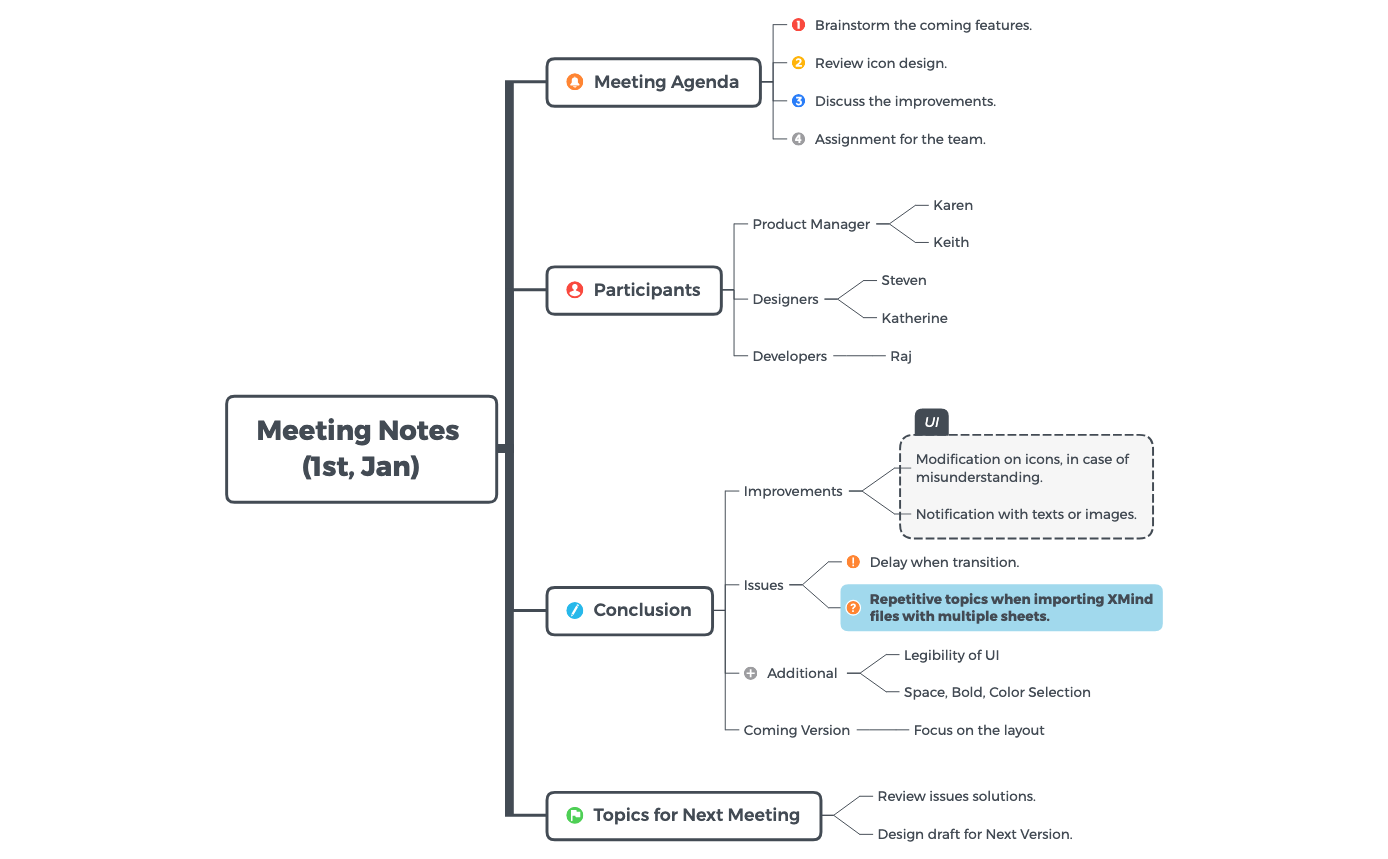
The Meeting Notes mind map template by Xmind provides a structured framework for documenting meeting agendas, participants, conclusions, and follow-up topics. With 30 nodes across a single sheet, it captures key details such as 'Brainstorm the coming features', 'Review icon design', and 'Modification on icons, in case of misunderstanding'. This template helps teams organize discussions, track decisions, and assign action items efficiently, making it an essential Meeting Notes template for project managers, designers, and developers.
Terms and ConditionsAfter a project kickoff meeting to document decisions and action items
During a sprint retrospective to capture improvements and issues
When preparing for a cross-functional review to align on next steps
Download the Meeting Notes .xmind file and open it in Xmind to begin organizing your session.
Replace the sample agenda items and participant placeholders with your specific discussion points and attendee names.
Document key conclusions and unresolved issues in the dedicated nodes to track decisions and plan follow-up tasks.
The template includes sections for Meeting Agenda, Participants, Conclusion, and Topics for Next Meeting, with specific nodes for brainstorming, role assignments, and issue tracking.
Open the .xmind file in Xmind, then populate the Meeting Agenda with discussion points, list Participants by role, record Conclusions and action items, and set Topics for Next Meeting.
Yes, the template is fully editable in Xmind desktop or web. You can customize nodes, add icons, and export as PDF or image for printing.
Absolutely. The template includes placeholder roles like Product Manager, Designers, and Developers, which you can rename or expand to fit your team structure.
Share your mind map templates with creators around the world and start earning from your work.

