



Graphic designers and UI/UX designers
Starting a new design project and need to quickly gather icons and stock photos.
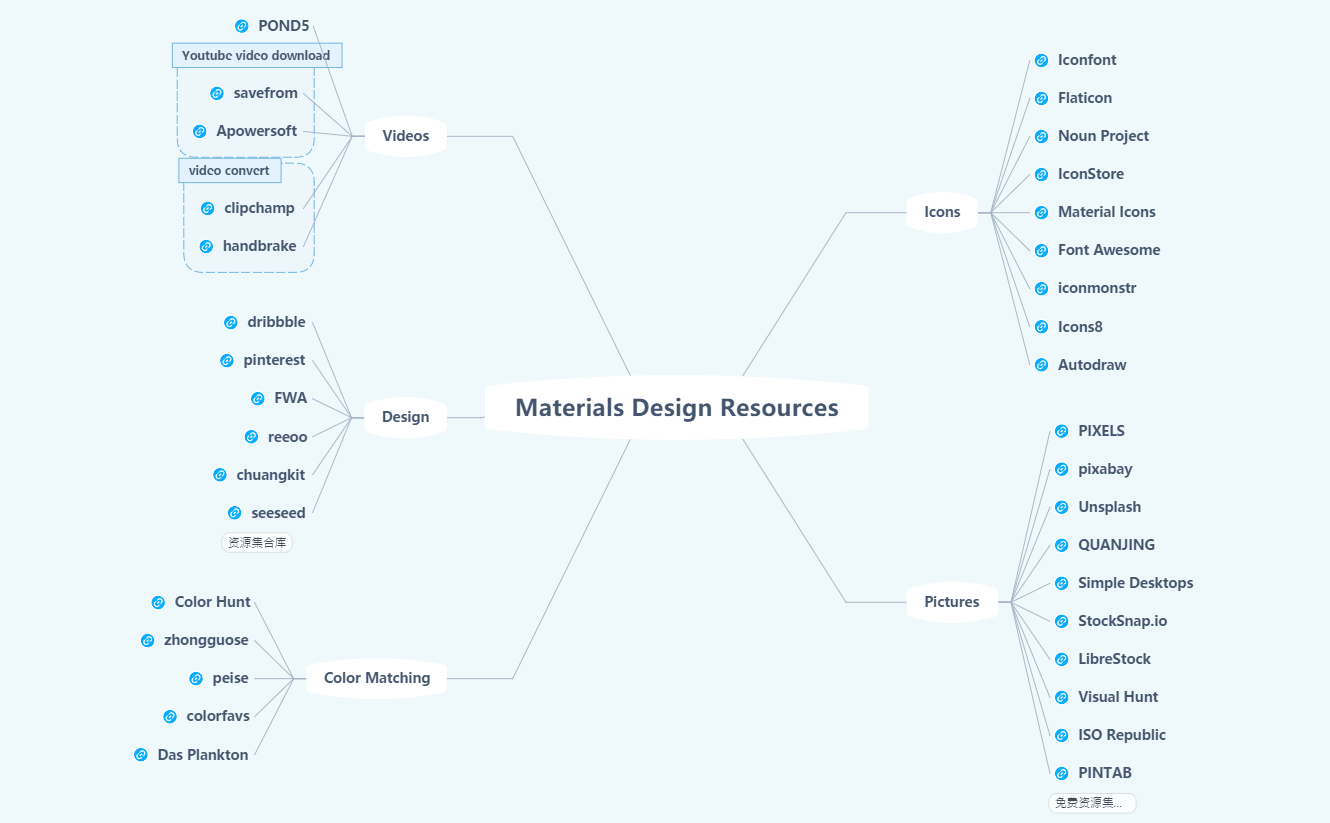
Materials Design Resources is a curated mind map template that aggregates 41 hand-picked online tools and websites across five essential design categories: Icons, Pictures, Color Matching, Design, and Videos. It serves as a quick-reference cheat sheet for designers, developers, and content creators who need reliable sources for visual assets. The template includes specific resources like Iconfont and Flaticon for icons, PIXELS and Unsplash for stock photos, and Color Hunt for color palettes. Organized as a radial mind map, it allows users to instantly locate and access each resource without bookmarking dozens of sites. This template is ideal for streamlining the design workflow and maintaining a centralized library of high-quality materials.
이용약관Starting a new design project and need to quickly gather icons and stock photos.
Building a brand color palette and seeking inspiration from curated color tools.
Compiling a shared resource library for a design team to standardize asset sources.
Open the template in Xmind to browse the five curated branches covering icons, pictures, color matching, design, and videos.
Click on specific resource nodes like Unsplash or Iconfont to visit their websites or add your own favorite tools as new subtopics.
Save your customized material library as a PDF or image file to use as a quick-access cheat sheet for your design workflow.
The template contains 41 curated links across 5 categories: Icons (Iconfont, Flaticon), Pictures (PIXELS, Unsplash), Color Matching (Color Hunt), Design (dribbble), and Videos (POND5). Each node is a clickable resource for design assets.
Open the 'Pictures' branch in the mind map. Click on nodes like Unsplash or PIXELS to visit those sites directly. The template acts as a visual bookmark for quick access to high-quality free images.
Yes, you can add or remove resource nodes, reorganize categories, and attach notes or URLs. The .xmind file is fully customizable to fit your personal collection of design tools.
Absolutely. Share the .xmind file with your team via cloud or export as PDF. Each node can be annotated with usage notes, making it a collaborative design asset library.
It lists color palette generators like Color Hunt and zhongguose that help designers pick harmonious color schemes for branding, UI, or illustrations.
전 세계 크리에이터와 마인드맵 템플릿을 공유하고 작품으로 수익을 창출하세요.

