




New developers or students starting with version control.
Learning Git for the first time and needing a visual overview of core concepts and commands.
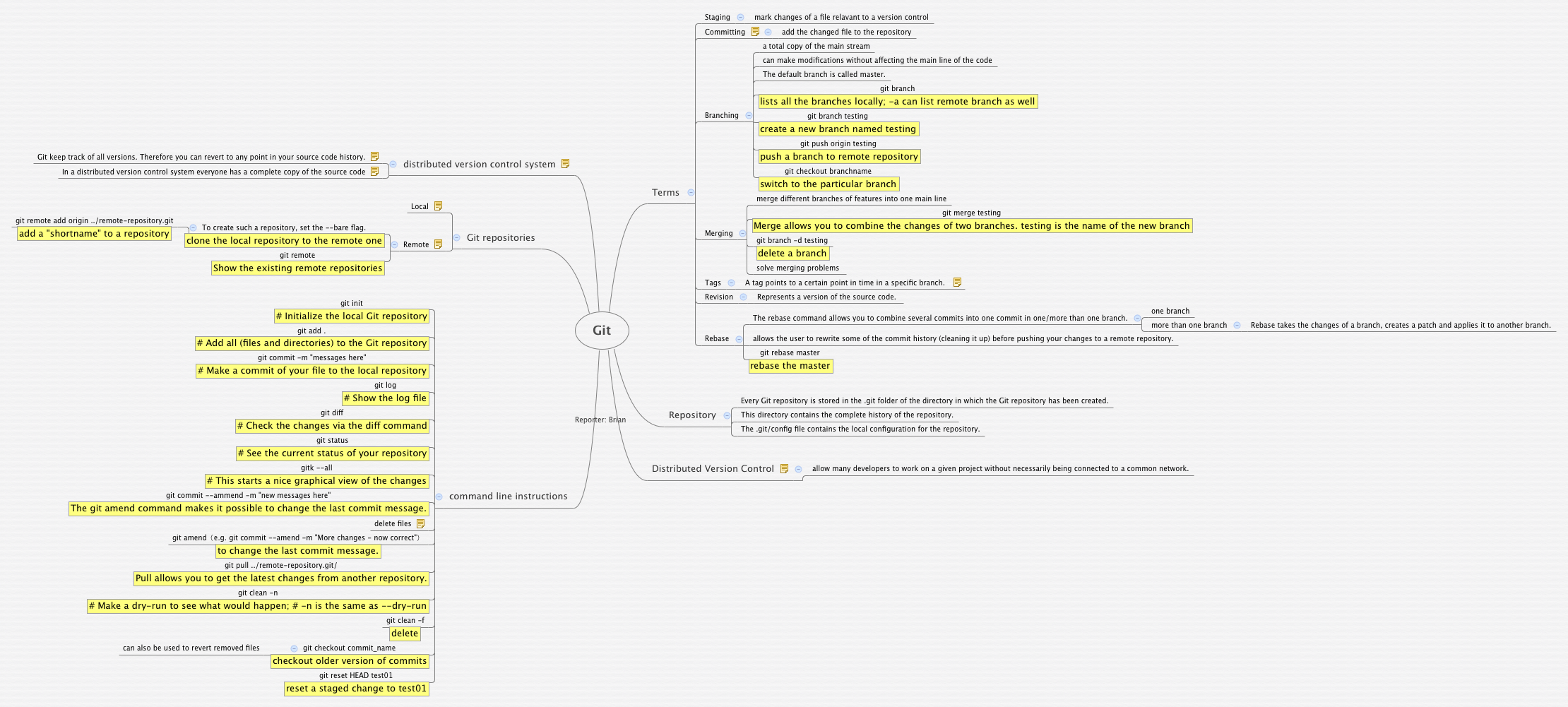
The Git mind map template provides a structured overview of Git's core concepts, commands, and workflows, covering 63 nodes across 7 major branches including Terms, Repository, Distributed Version Control, and command line instructions. It includes detailed explanations of key operations such as Staging, Committing, Branching, Merging, Tags, Revision, and Rebase, along with essential commands like git init, git add, and git commit. This Git cheat sheet is ideal for developers learning version control or needing a quick reference for distributed version control systems.
이용약관Learning Git for the first time and needing a visual overview of core concepts and commands.
Preparing for a technical interview that requires explaining Git branching, merging, and rebase workflows.
Setting up a new project repository and needing a quick reference for remote repository configuration.
Open the template in Xmind to navigate through the structured branches covering terms, repositories, and distributed version control systems.
Personalize the nodes by adding your own notes, specific examples, or additional command line instructions relevant to your development projects.
Save your customized mind map as an image or PDF to create a portable cheat sheet for quick access to Git operations.
The template covers 63 nodes organized into branches like Terms, Repository, Distributed Version Control, command line instructions, and Git repositories, explaining key concepts and commands.
Open the .xmind file in Xmind, then explore each branch to understand Git terms like Staging, Committing, and Branching, and practice the listed commands.
Yes, you can customize the template by adding your own notes, examples, or commands, and rearrange nodes to fit your learning or project needs.
Use the 'command line instructions' branch as a quick reference, and create flashcards from the nodes to practice commands like git log, git diff, and git status.
Absolutely. The template's clear structure on Distributed Version Control and Git repositories makes it a great visual aid for onboarding new developers.
전 세계 크리에이터와 마인드맵 템플릿을 공유하고 작품으로 수익을 창출하세요.

