



Individual professionals and freelancers
Starting a new week with a cluttered inbox and unclear priorities
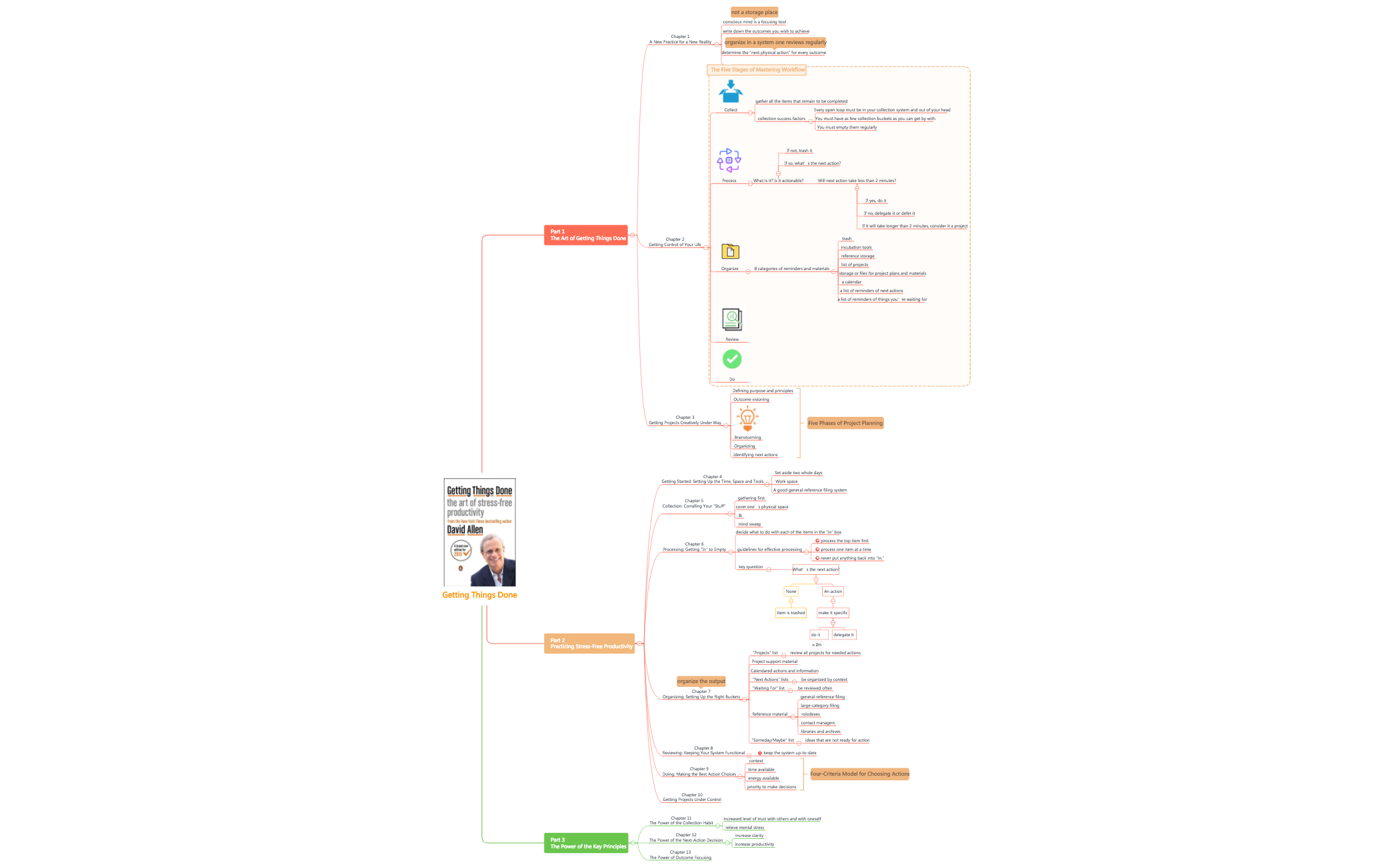
The Getting Things Done (GTD) mind map template distills David Allen's productivity methodology into a structured 99-node overview across three parts. It covers the core workflow of Collect, Process, Organize, Review, and Do, along with the Five Phases of Project Planning and the Four-Criteria Model for Choosing Actions. Key nodes like 'Next Actions lists' and 'Someday/Maybe list' are defined with actionable guidelines. This GTD mind map template serves as a cheat sheet for implementing stress-free productivity, helping users capture tasks, clarify next actions, and organize projects by context.
이용약관Starting a new week with a cluttered inbox and unclear priorities
Kicking off a complex project that needs structured planning and next actions
Conducting a personal productivity audit to reduce overwhelm and increase focus
Open the .xmind file in Xmind Desktop, Web, or Mobile app.
Navigate through the three parts to understand the GTD workflow and principles.
Customize the 'Collect' node by adding your own tasks and ideas using the built-in quick entry.
Process each item by answering 'What is it? Is it actionable?' and moving it to the appropriate bucket like 'Next Actions' or 'Someday/Maybe'.
Regularly review the 'Projects' and 'Waiting For' lists to keep your system up-to-date.
The template includes all three parts of David Allen's GTD methodology: the five-step workflow, project planning phases, and key principles. It contains 99 nodes covering collection, processing, organizing, reviewing, and doing.
Open the .xmind file in Xmind, then follow the workflow: start with the 'Collect' node to gather tasks, process each item using the 'key question', and organize actions into 'Next Actions lists' by context.
Yes, the template is fully editable in Xmind. You can customize nodes, add your own tasks, and export as PDF or image for printing. It works on desktop and web versions.
Use the 'Review' node to schedule regular check-ins. The 'Projects' list helps track all active projects, and the 'Waiting For' list ensures follow-ups are not missed.
Yes, share the .xmind file with your team. Each member can update their 'Next Actions' and 'Waiting For' items, making it a shared GTD board for project coordination.
전 세계 크리에이터와 마인드맵 템플릿을 공유하고 작품으로 수익을 창출하세요.

