




Project managers and creative teams
Starting a new project brainstorming session with your team
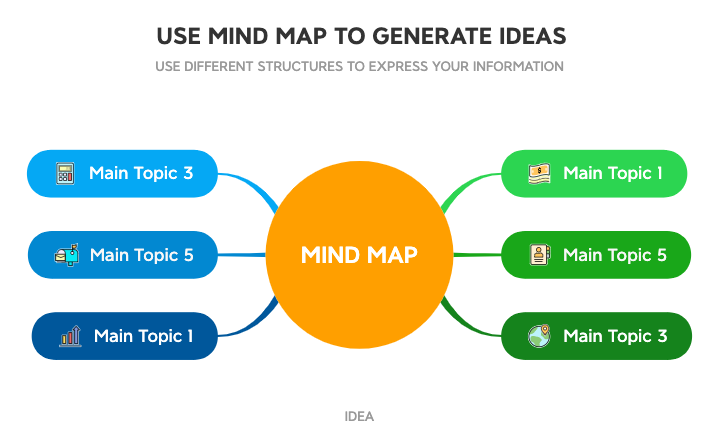
The Generate Ideas 1 mind map template from Xmind helps users brainstorm and organize thoughts using a flexible radial structure. With 10 nodes across a single sheet, it includes prompts like 'Main Topic 1', 'Main Topic 5', and 'USE DIFFERENT STRUCTURES TO EXPRESS YOUR INFORMATION' to encourage creative thinking. This template is ideal for individuals or teams looking to capture and expand ideas quickly, leveraging mind mapping to visually connect concepts and generate new insights.
Terms and ConditionsStarting a new project brainstorming session with your team
Structuring scattered thoughts before writing a report or article
Exploring different solutions to a complex problem
Open the .xmind file to review the radial structure and existing prompts like 'Main Topic 1' to understand the layout.
Double-click the placeholder nodes to input your own concepts and use the '+' icon to add new branches for further brainstorming.
Personalize the mind map by adjusting colors, icons, and structures using the Xmind toolbar to better organize your creative thoughts.
The template includes a single sheet with 10 nodes, featuring root topic 'MIND MAP' and branches like 'Main Topic 1', 'Main Topic 5', and prompts such as 'USE DIFFERENT STRUCTURES TO EXPRESS YOUR INFORMATION' and 'IDEA'.
Open the .xmind file in Xmind, then replace placeholder nodes like 'Main Topic 1' with your own ideas. Use the 'IDEA' node to capture spontaneous thoughts and expand branches as needed.
Yes, the template is available on Xmind's marketplace and fully editable. You can customize all nodes, add new branches, and change the layout to suit your brainstorming needs.
Start from the central 'MIND MAP' node, add your main topics as branches, then use the 'USE DIFFERENT STRUCTURES TO EXPRESS YOUR INFORMATION' prompt to explore alternative visual arrangements for your ideas.
Absolutely. Share the .xmind file with your team via Xmind's cloud or export features. Each member can contribute ideas by adding nodes under the existing branches.
Share your mind map templates with creators around the world and start earning from your work.

