




Game producers and scrum masters
Running a weekly sprint review for a game development team after a major release like 'CrazyKombat 2.0'
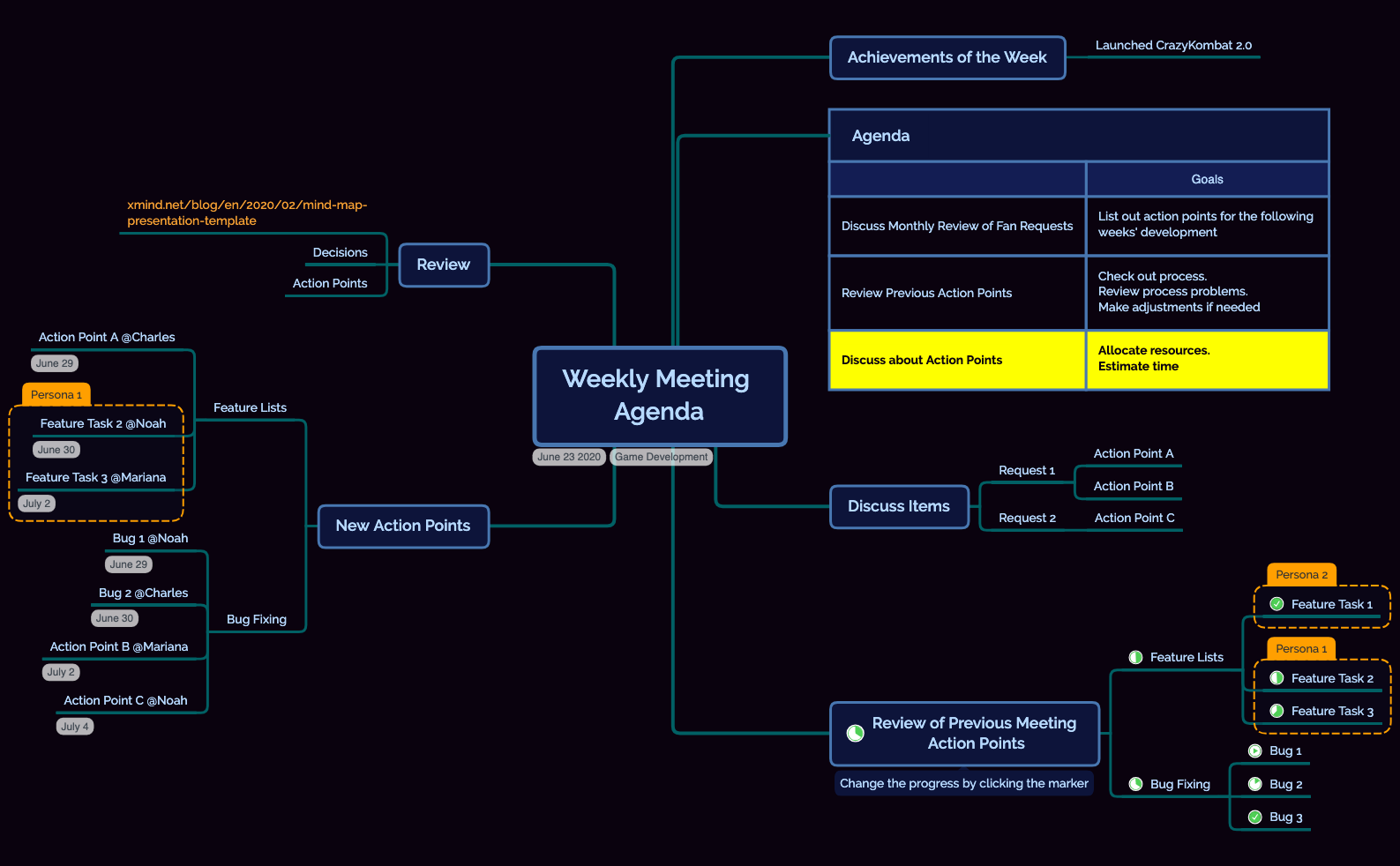
The Game Development Weekly Meeting Agenda mind map template helps game development teams structure their weekly stand-ups and sprint reviews. Covering 6 core branches—Achievements of the Week, Agenda, Discuss Items, Review of Previous Meeting Action Points, New Action Points, and Review—this template includes 39 nodes for tracking tasks like 'Launched CrazyKombat 2.0', assigning owners such as '@Charles' and '@Noah', and linking to resources like the Xmind presentation blog. It streamlines recurring meeting workflows by organizing fan request reviews, bug fixing, and feature task allocation in a single visual canvas. This Game Development Weekly Meeting Agenda template is ideal for producers, leads, and scrum masters who need a repeatable agenda that captures decisions and action points efficiently.
使用條款Running a weekly sprint review for a game development team after a major release like 'CrazyKombat 2.0'
Prioritizing and assigning bug fixes and feature tasks during a mid-sprint stand-up
Reviewing past action points and adjusting processes before planning the next development cycle
Open the template in Xmind and replace the placeholder text under Achievements of the Week with your team's recent successes.
Populate the Discuss Items branch with fan requests or topics and break them down into specific actionable tasks.
Update previous action points and assign new tasks to team members by adding @mentions to the relevant nodes.
It includes 6 main branches: Achievements of the Week, Agenda, Discuss Items, Review of Previous Meeting Action Points, New Action Points, and Review, with 39 nodes for tracking tasks, bugs, and assignments.
Open the .xmind file, then populate each branch: update 'Achievements of the Week' with recent wins, review 'Previous Meeting Action Points', discuss new items under 'Discuss Items', and assign owners in 'New Action Points'.
Yes, the template is fully editable in Xmind (desktop, web, or mobile). You can customize node text, add icons, and export as PDF or image to share with your team.
Absolutely. The 'Review of Previous Meeting Action Points' and 'New Action Points' branches both have dedicated 'Feature Lists' and 'Bug Fixing' sub-branches for clear separation.
Use the 'New Action Points' branch and append @mentions (e.g., '@Charles') directly in the node title. Xmind supports text formatting, so you can also color-code or add priority markers.
把你的心智圖範本分享給全球創作者,從你的作品中獲得收益。

