




College professors and instructors
Creating a new course syllabus at the start of a semester
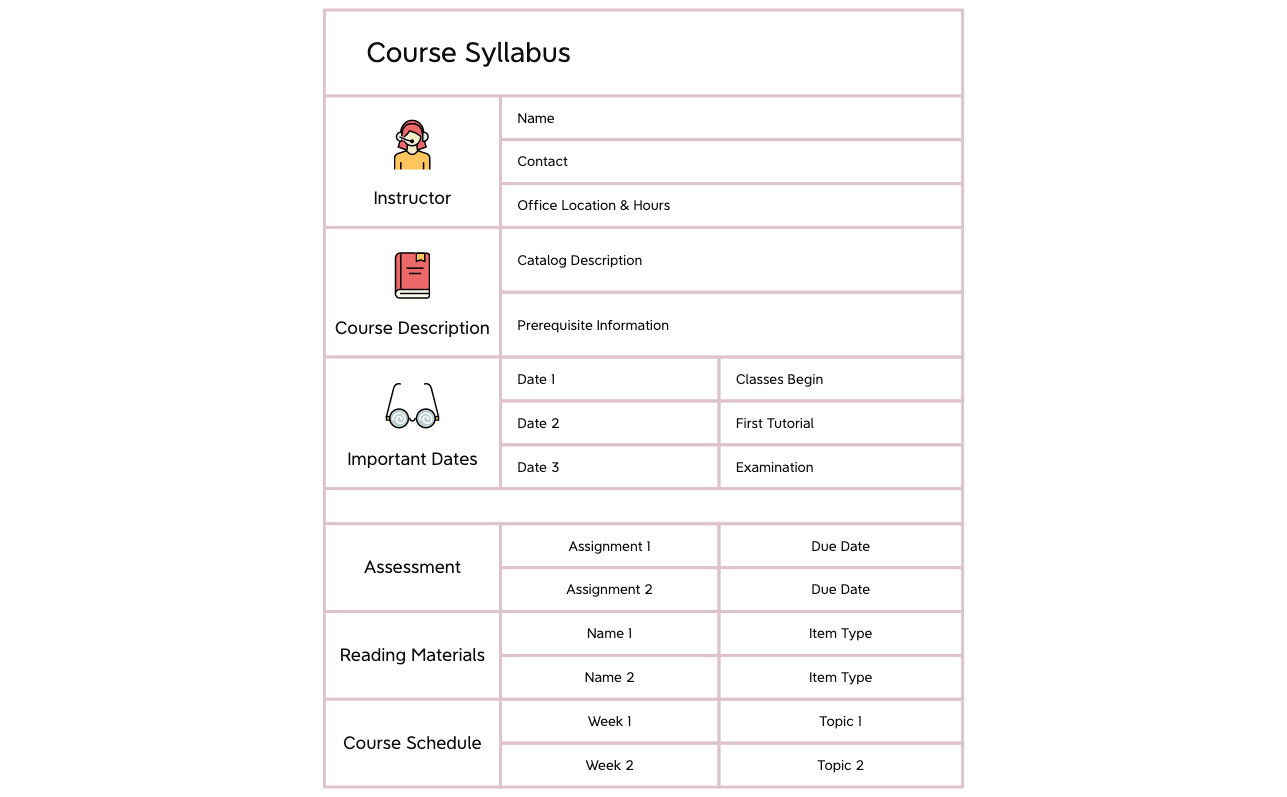
The Course Syllabus mind map template provides a structured framework for organizing a course syllabus, covering 6 main branches and 31 nodes. Designed for educators and instructors, it includes sections for Instructor (Name, Contact, Office Location & Hours), Course Description (Catalog Description, Prerequisite Information), Important Dates (Classes Begin, First Tutorial, Examination), Assessment (Assignment 1, Assignment 2 with Due Dates), Reading Materials (Name 1, Name 2 with Item Type), and Course Schedule (Week 1, Week 2 with Topics). This template serves as a comprehensive course syllabus cheat sheet, enabling quick planning and clear communication of course expectations. The visual layout is a radial mind map with the course title at the center, branching into key syllabus components. By using this template, instructors can ensure all critical syllabus elements are included and easily editable.
Terms and ConditionsCreating a new course syllabus at the start of a semester
Reviewing and updating an existing syllabus for accreditation or curriculum changes
Collaborating with teaching assistants to outline course logistics and deadlines
Launch the .xmind file to explore the pre-defined branches for instructor details, course descriptions, and key schedules.
Replace the placeholder text with your specific course information and add or remove nodes to match your assessment and reading requirements.
Save your completed mind map as a PDF or image file to share the course expectations and schedule with your students.
The template includes 6 main sections: Instructor, Course Description, Important Dates, Assessment, Reading Materials, and Course Schedule, with detailed sub-nodes like Name, Contact, Catalog Description, and Due Dates.
Open the .xmind file in Xmind, then replace placeholder text under each branch with your course details. Customize branches like Instructor, Important Dates, and Course Schedule to match your syllabus.
Yes, the template is fully editable in Xmind. You can add or remove nodes, and export the mind map as an image or PDF for printing.
Absolutely. Simply add sibling or child nodes under Course Schedule to include additional weeks and topics as needed.
Use the Reading Materials branch to list required texts or articles. For each item, specify the Name and Item Type (e.g., textbook, article) to keep resources organized.
Share your mind map templates with creators around the world and start earning from your work.

