




Job seekers and career changers
Deciding between two job offers with different benefits and work cultures.
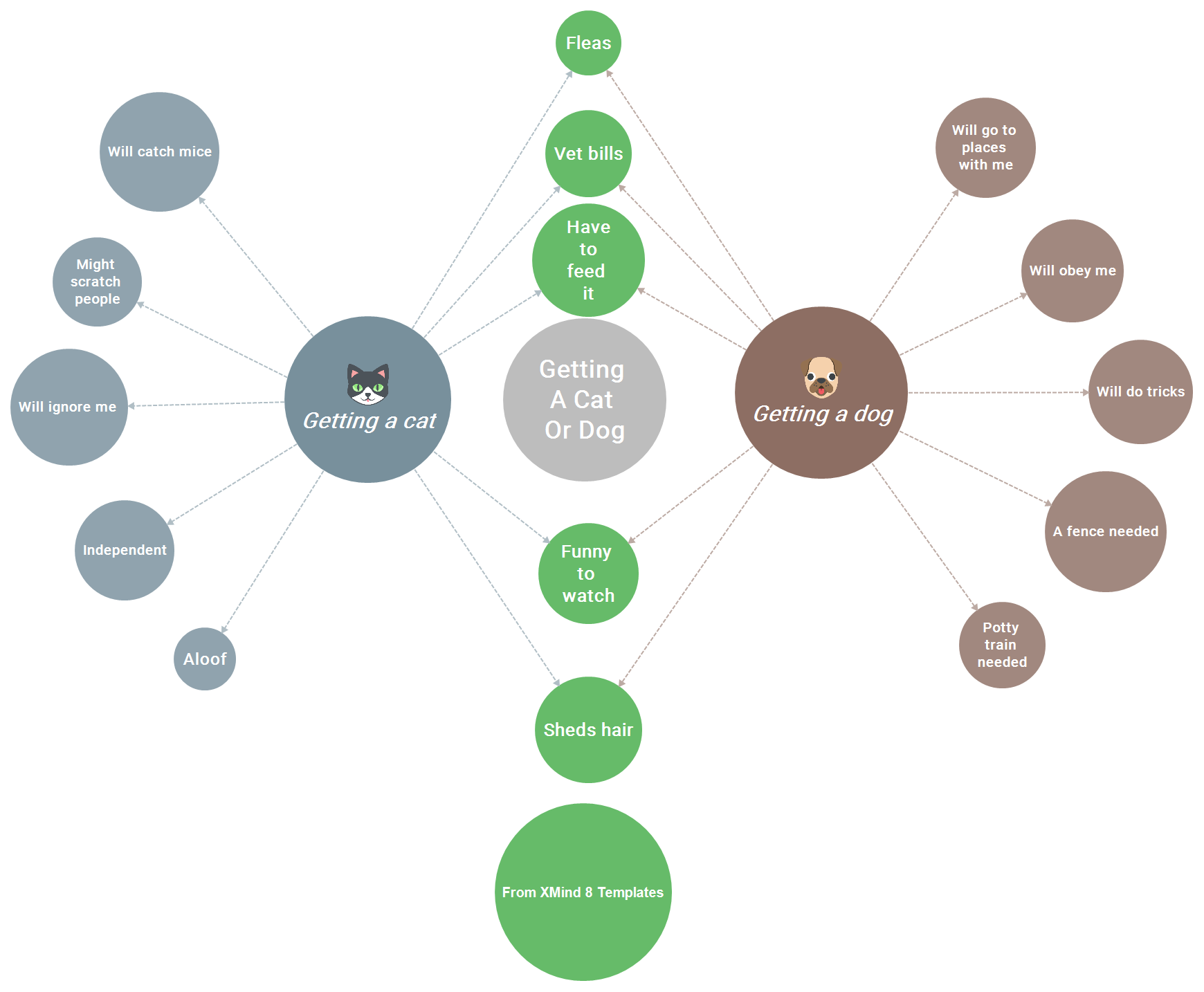
The Compare and Contrast mind map template from Xmind helps users visually weigh the pros and cons of two options, using the example 'Getting a cat or dog.' With 19 nodes organized under a central topic, it covers key considerations such as 'Vet bills,' 'Will catch mice,' 'Will obey me,' and 'Potty train needed.' This template is ideal for decision-making, enabling side-by-side comparison of attributes like 'Independent' vs. 'Will go to places with me.' It serves as a versatile compare and contrast cheat sheet for personal or professional choices.
Términos y condicionesDeciding between two job offers with different benefits and work cultures.
Evaluating two software tools for a project, comparing features and costs.
Choosing a vacation destination by weighing attractions, budget, and travel time.
Open the template in Xmind and double-click the central topic to replace the example with your specific decision or subject.
Edit the two main branches to represent your choices and adjust the sub-nodes to reflect your specific pros, cons, and attributes.
Use different colors, icons, or labels to highlight key differences and similarities between your options for a clearer final decision.
The template includes a central topic (e.g., 'Getting a cat or dog') with 19 nodes covering pros, cons, and shared traits like 'Vet bills' and 'Will obey me.' It's ready to customize for any two-item comparison.
Open the .xmind file, replace the example items with your own options, and edit the attribute nodes (e.g., 'Independent') to reflect your criteria. The visual layout helps weigh pros and cons side by side.
Yes, the template is free to download and fully editable in Xmind. You can add, remove, or rename nodes to fit your specific comparison needs.
Absolutely. While the example uses pets, the structure works for comparing products, vendors, or strategies. Just update the central topic and attribute nodes like 'Cost' or 'Efficiency.'
Start with two main branches for each option, then add shared attributes under a common branch. Use distinct colors or icons to highlight differences, as shown in the template with 'Getting a cat' vs. 'Getting a dog.'
Comparte tus plantillas de mapas mentales con creadores de todo el mundo y empieza a ganar con tu trabajo.

