




Project managers and team leads
Planning a month of daily tasks and meetings, such as December 2008 with notes like 'Meeting' and 'Call Luc'.
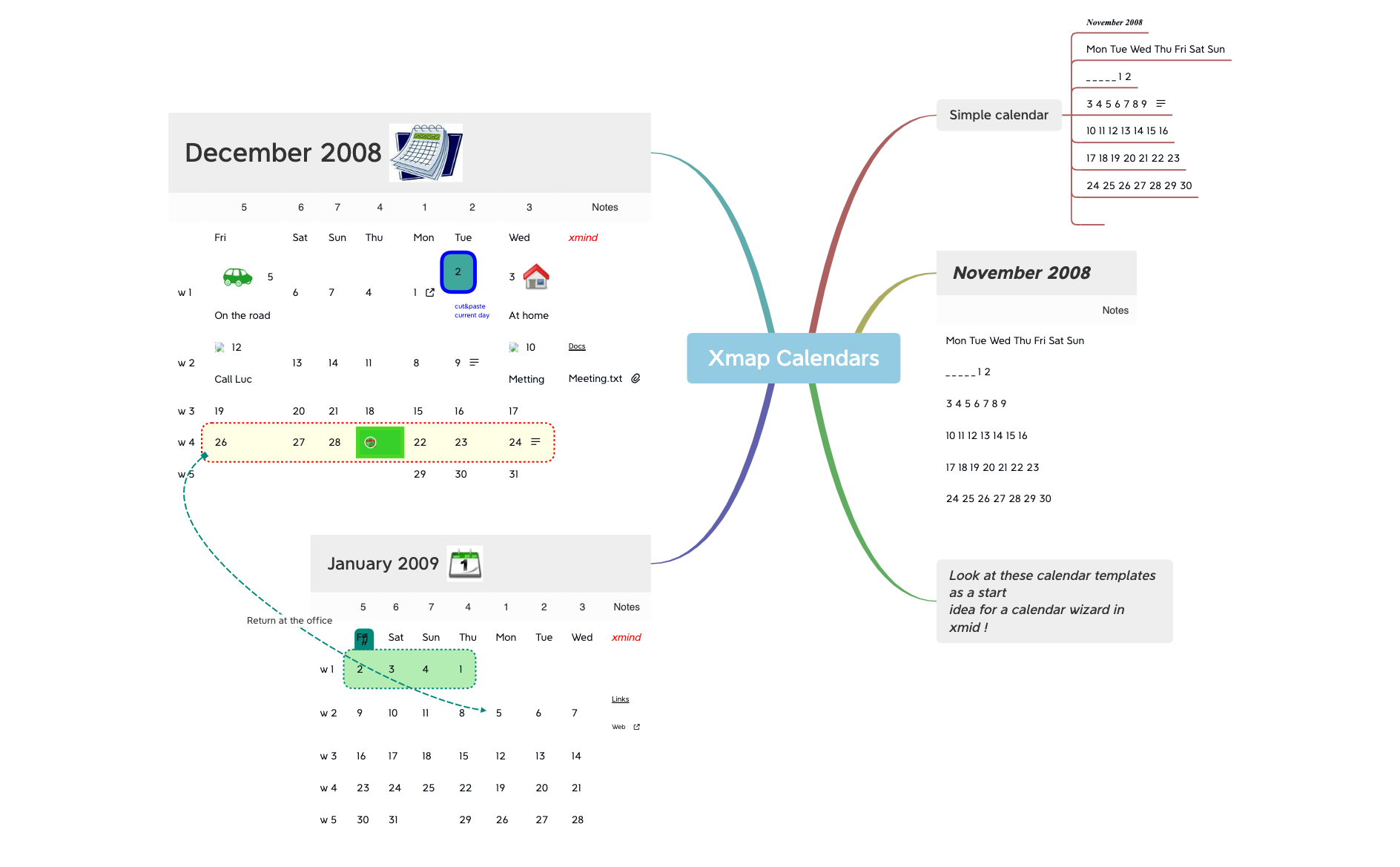
The Xmap Calendars mind map template provides a detailed visual layout for monthly and weekly planning, covering December 2008 and January 2009 with 120 nodes. It includes a 'Simple calendar' structure for November 2008, a full week-by-week breakdown for December with daily entries and notes like 'On the road' and 'Call Luc', and a similar layout for January 2009 with 'Links' and 'Web' categories. This Xmind template serves as a practical cheat sheet for organizing schedules, tracking tasks, and managing time efficiently. Designed as a starting point for a calendar wizard, it offers a hands-on approach to customizing daily, weekly, and monthly views.
이용약관Planning a month of daily tasks and meetings, such as December 2008 with notes like 'Meeting' and 'Call Luc'.
Tracking weekly goals and online resources, using the 'Links' and 'Web' branches under January 2009.
Creating a custom calendar wizard prototype, as suggested by the 'Look at these calendar templates as a start idea' note.
Open the .xmind file to browse the pre-built monthly and weekly branches for November through January.
Edit the day numbers and add specific tasks or notes like meeting details directly into the existing node structure.
Save your personalized calendar changes and export the map as an image or PDF for easy sharing and tracking.
The template includes monthly calendars for November and December 2008 and January 2009, with weekly breakdowns, daily date entries, and note-taking branches like 'On the road', 'Meeting', and 'Links'.
Open the .xmind file in Xmind, navigate to a week (e.g., 'w 2' under December 2008), and add tasks or events to each day. Use the note branches to record details like 'Call Luc' or 'Meeting.txt'.
Yes, you can edit any node: change date numbers, rename note branches, or add new weeks. The template is fully editable in Xmind desktop or web.
While the template uses 2008/2009 dates, you can easily update the year and day numbers. The structure works for any month or year.
It provides a compact monthly view for November 2008, showing days of the week and dates in a grid. Use it as a quick reference or starting point for other months.
전 세계 크리에이터와 마인드맵 템플릿을 공유하고 작품으로 수익을 창출하세요.

