




Product managers and UX designers
Planning the digital ecosystem for a new coworking space or shared office brand.
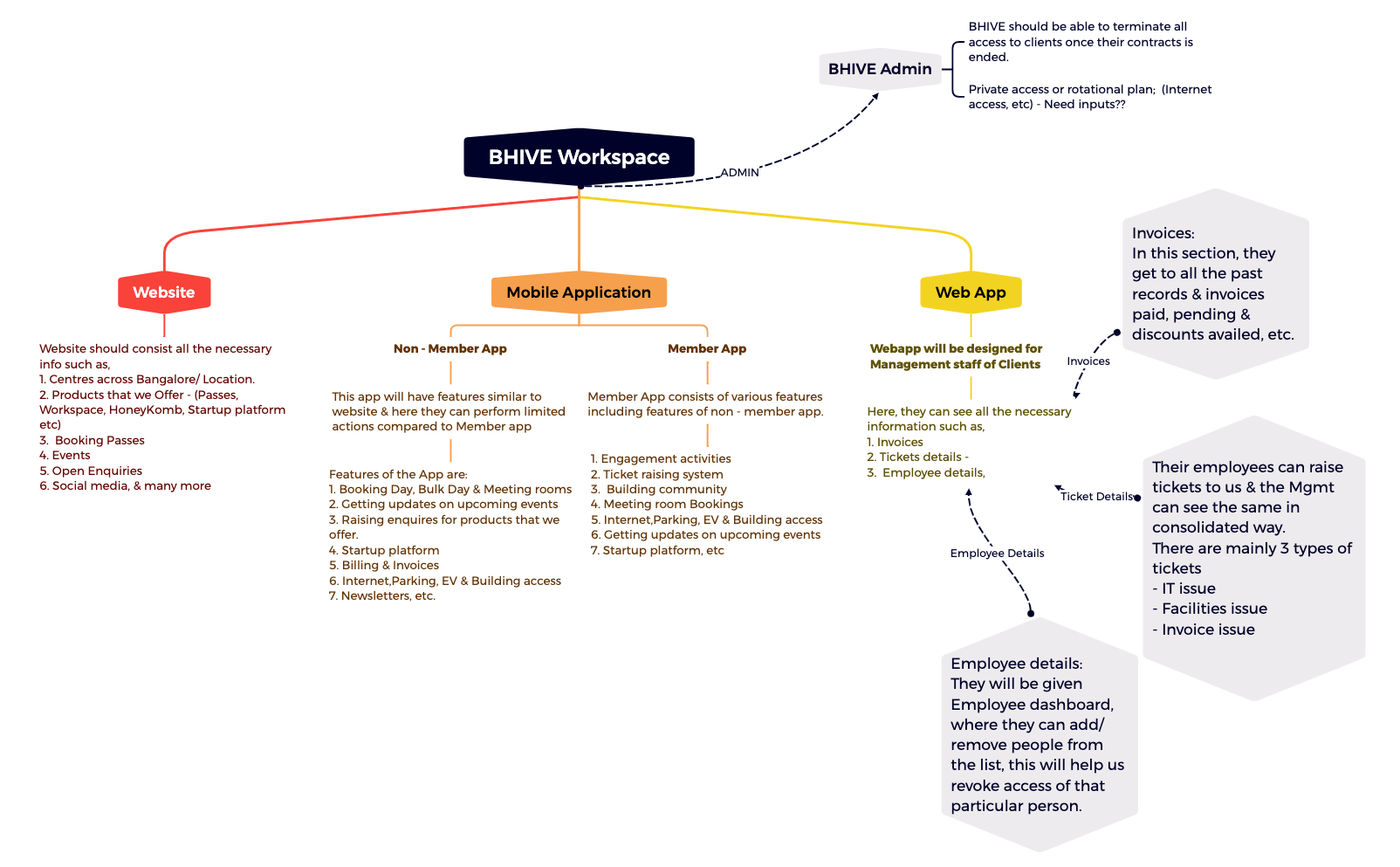
The BHIVE Workspace mind map template provides a structured breakdown of a coworking space management system, covering website, mobile applications, web app, employee management, and invoicing. It includes 19 nodes across one sheet, detailing features like 'Booking Day, Bulk Day & Meeting rooms' for the Non-Member App and a 'Ticket raising system' for the Member App. This template serves as a product requirements document for building or analyzing a workspace platform, with sections for 'BHIVE Admin' to manage client access and contracts. It is ideal for product managers, developers, and operations teams planning a digital workspace ecosystem.
Terms and ConditionsPlanning the digital ecosystem for a new coworking space or shared office brand.
Defining feature requirements for a mobile app that serves both members and non-members.
Designing an admin dashboard to manage client contracts, employee access, and invoicing.
Open the .xmind file to explore the pre-defined branches covering the website, mobile applications, and administrative systems.
Replace the placeholder content with your specific workspace requirements and expand sub-nodes to detail booking options or ticket systems.
Complete your digital workspace ecosystem plan and export the map as a PDF or image to collaborate with your development team.
The template covers website requirements, mobile apps (non-member and member), a web app for management, employee details, ticket systems, invoices, and BHIVE admin controls. It has 19 nodes across one sheet.
Use it as a product requirements document to define features for a coworking platform. Customize each branch with your specific offerings, such as booking passes or ticket types.
Yes, you can open the .xmind file in Xmind desktop or web and edit all nodes, add details, or reorganize branches to fit your project.
The template lists IT issue, Facilities issue, and Invoice issue as the main ticket types for employee support.
Yes, the structure is adaptable for any service-based platform requiring user apps, admin panels, and billing. Simply replace the BHIVE-specific content with your own.
Share your mind map templates with creators around the world and start earning from your work.

