




College students and lifelong learners attending lectures or seminars
During a university lecture to capture main ideas and supporting details in real time
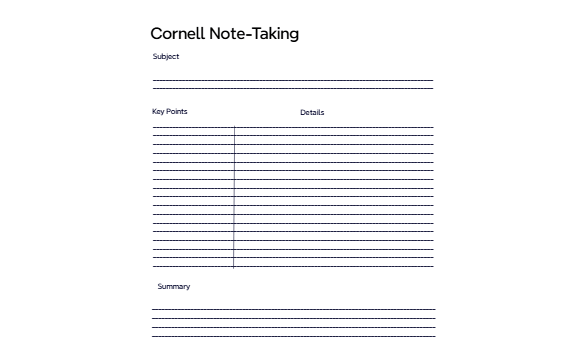
The Traditional Cornell Note-Taking Method mind map template structures lecture or study notes into a proven format that boosts comprehension and recall. Designed for students and lifelong learners, this Xmind template organizes content into five core sections: Subject, Key Points, Details, Summary, and a visual divider column. The template includes 10 nodes across a single sheet, mirroring the classic Cornell system where the left column captures Key Points and the right column expands on Details, while the bottom Summary section reinforces learning. By using this Cornell Note-Taking template, users can systematically capture and review information, improving retention and study efficiency.
使用條款During a university lecture to capture main ideas and supporting details in real time
While reading a textbook chapter to extract key concepts and examples
When reviewing notes before an exam to quickly revisit core topics and summaries
Open the .xmind file in Xmind (desktop, web, or mobile app).
Replace the 'Subject' node with the lecture or chapter title.
During note-taking, add main ideas under 'Key Points' and corresponding details under 'Details'.
After the session, write a concise summary in the 'Summary' node to reinforce key takeaways.
Customize colors, icons, or add new nodes to adapt the template to your personal style.
The template includes a single sheet with 10 nodes organized into sections: Subject, Key Points, Details, Summary, and visual divider columns. It mirrors the classic Cornell note-taking layout for structured capture.
Open the .xmind file in Xmind, then fill in the Subject with the lecture title. During class, add Key Points in the left column and corresponding Details on the right. After class, write a Summary at the bottom to reinforce learning.
Yes, the template is free to download and fully editable in Xmind. You can customize the nodes, add colors, or insert images to suit your note-taking style.
Absolutely. The Xmind template works on desktop and mobile apps, including tablets. You can type or handwrite notes using a stylus in the Detail and Summary sections.
Cover the Details column and try to recall information from the Key Points. Then check your Summary for a quick overview. This active recall method boosts memory retention.
把你的心智圖範本分享給全球創作者,從你的作品中獲得收益。
