




Professionals and parents managing a packed schedule
Planning a busy week with multiple appointments, work deadlines, and family commitments.
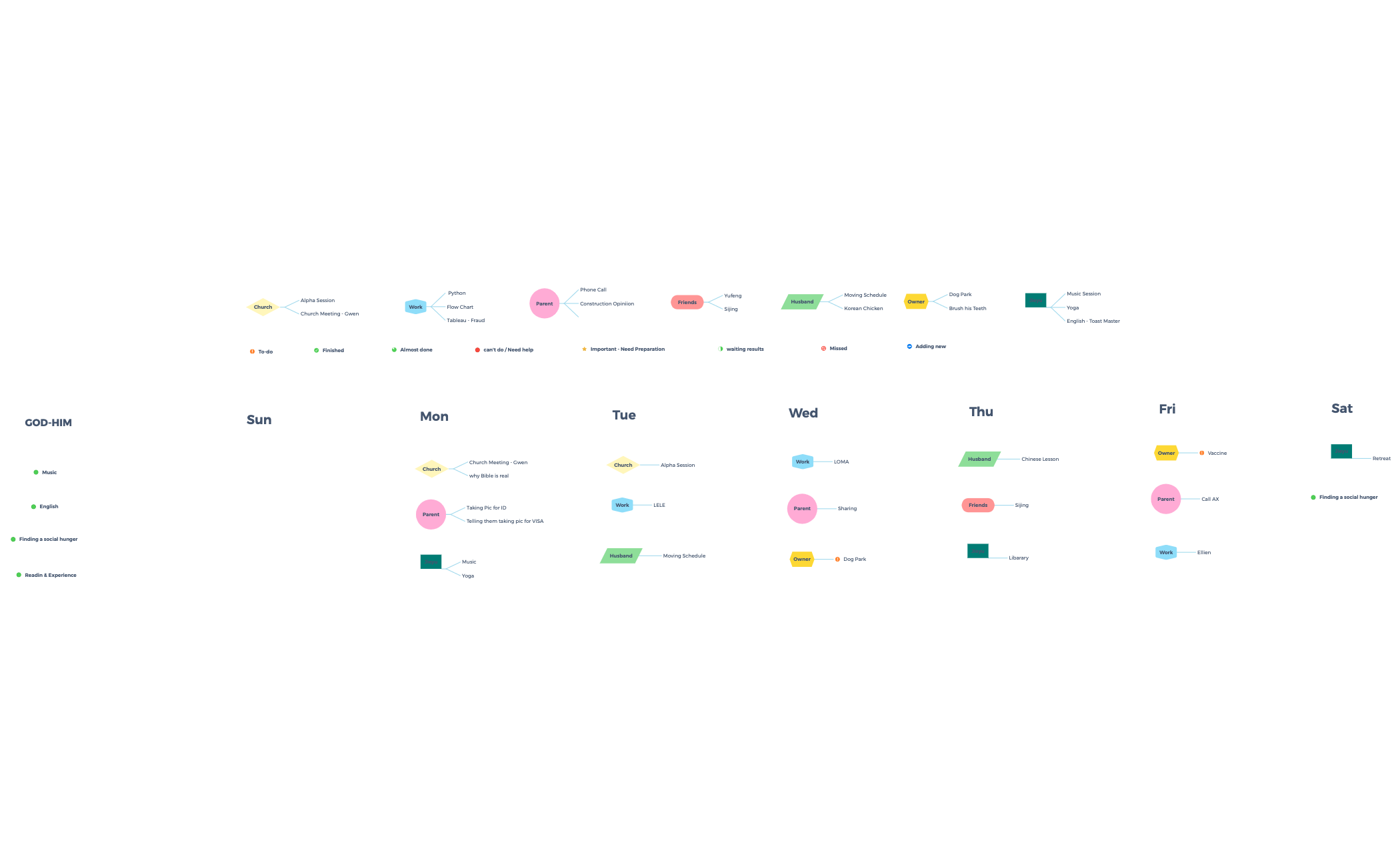
The Schedule Buddy mind map template is a comprehensive weekly planner designed for individuals juggling multiple life domains, featuring 80 nodes across categories like Church, Work, Husband, Owner, Jieyu, and Parent. This template organizes tasks by day (Sun through Sat) and status (e.g., 'Important - Need Preparation', 'Finished', 'Almost done', 'To-do', 'waiting results'), making it easy to track progress. Key nodes include 'Moving Schedule', 'Korean Chicken', 'Dog Park', 'Music Session', and 'Alpha Session', providing a structured approach to managing appointments, chores, and personal goals. The Schedule Buddy template serves as a visual cheat sheet for balancing work, family, and social commitments, helping users prioritize and delegate tasks efficiently.
Terms and ConditionsPlanning a busy week with multiple appointments, work deadlines, and family commitments.
Tracking progress on ongoing projects like 'Python' learning or 'Tableau - Fraud' analysis.
Coordinating shared responsibilities with a partner, such as 'Moving Schedule' and pet care.
Open the template in Xmind and rename the existing nodes under each day to reflect your personal commitments and goals.
Drag tasks between status branches like 'To-do' or 'Finished' and create new topics to accommodate additional life domains.
Review your weekly priorities across all categories and export the map as an image or PDF for easy reference.
The template includes 80 nodes organized by days of the week (Sun to Sat) and status categories like 'Important - Need Preparation', 'Finished', and 'To-do'. It covers areas such as Church, Work, Husband, Owner, Jieyu, Parent, and Friends, with specific tasks like 'Moving Schedule', 'Dog Park', and 'Music Session'.
Open the .xmind file in Xmind, then drag tasks into the appropriate day or status branch. Customize node names to match your own activities, and use the 'Finished' or 'Almost done' branches to track progress. The template helps visualize your week at a glance.
Yes, the template is free to download and fully editable in Xmind. You can add, remove, or rename nodes to fit your personal schedule, and export it as an image or PDF for printing.
Use the 'Important - Need Preparation' and 'can't do / Need help' branches to flag tasks requiring attention or assistance. The 'waiting results' and 'Missed' categories help track pending items, ensuring nothing falls through the cracks.
Absolutely. You can duplicate the template for each team member or create a shared version by adding 'Owner' or 'Jieyu' nodes to assign responsibilities. The structure supports both personal and collaborative planning.
Share your mind map templates with creators around the world and start earning from your work.

