




R&D managers and product engineers
Starting a new product development initiative with unclear technical feasibility
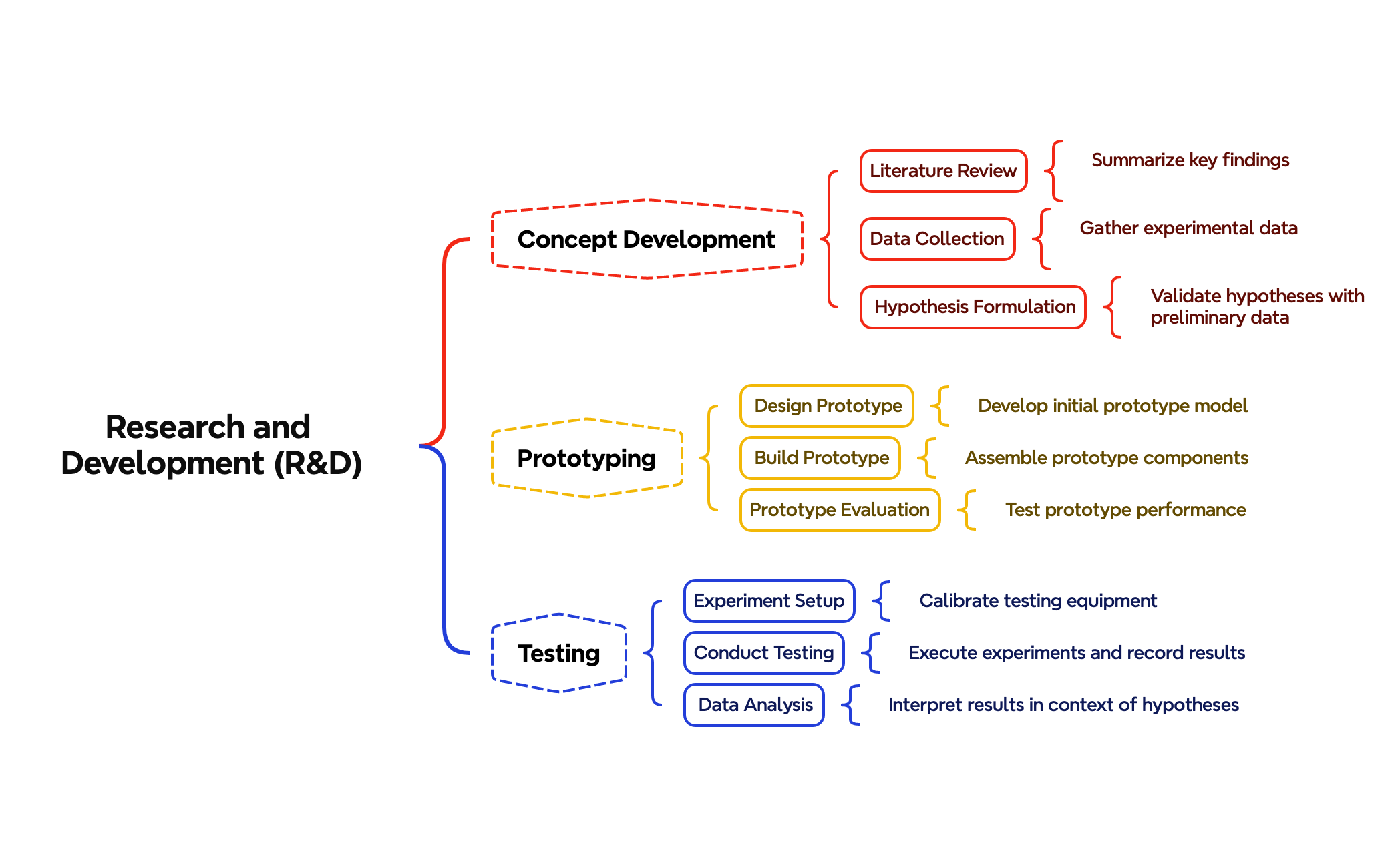
The Research and Development (R&D) mind map template provides a structured framework for managing innovation projects, covering 3 core phases—Concept Development, Prototyping, and Testing—with 22 nodes. It guides teams through Literature Review, Data Collection, Hypothesis Formulation, Design Prototype, Build Prototype, Prototype Evaluation, Experiment Setup, Conduct Testing, and Data Analysis. This R&D template serves as a comprehensive cheat sheet for researchers, engineers, and product developers to organize and validate hypotheses efficiently. The layout follows a logical left-to-right flow, starting from concept ideation to experimental validation, making it ideal for documenting and tracking R&D milestones.
Conditions d'utilisationStarting a new product development initiative with unclear technical feasibility
Preparing for a grant proposal or research project submission
Conducting a structured review of ongoing R&D projects for quarterly reporting
Launch the .xmind file to explore the pre-structured branches covering Concept Development, Prototyping, and Testing.
Replace the placeholder nodes with your specific literature reviews, design prototypes, and experimental parameters to fit your research goals.
Apply markers to monitor task status across the R&D phases and export the final map as a PDF or image for team collaboration.
The template includes three main phases: Concept Development (Literature Review, Data Collection, Hypothesis Formulation), Prototyping (Design Prototype, Build Prototype, Prototype Evaluation), and Testing (Experiment Setup, Conduct Testing, Data Analysis).
Start by filling in the Concept Development branch with your literature findings and hypotheses. Then move to Prototyping to design and build a prototype, and finally use Testing to set up experiments and analyze results.
Yes, the template is fully editable in Xmind. You can add, remove, or rearrange nodes, customize colors, and attach notes or resources to each node.
Use Xmind's task tracking features: assign priorities, deadlines, and status markers to each node. You can also add labels to indicate completion stages.
Absolutely. The Prototype Evaluation node is a placeholder; you can replace it with your own criteria such as performance metrics, user feedback, or cost analysis.
Partagez vos modèles de cartes mentales avec des créateurs du monde entier et commencez à gagner avec votre travail.

