




Event planners and project managers
Kicking off corporate conference planning to identify high-impact activities like speaker bookings and venue selection.
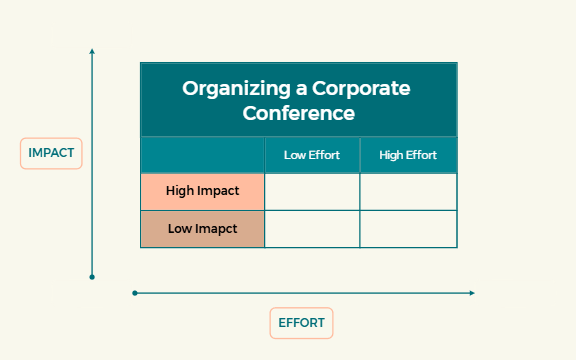
The Priority Matrix 1 template is a strategic tool for prioritizing tasks when organizing a corporate conference, mapping items across 'IMPACT' and 'EFFORT' axes. It includes branches for 'High Impact' and 'Low Imapct' (sic) activities, helping teams focus on high-value efforts. With 8 nodes covering floating topics and a clear matrix layout, this mind map template enables efficient resource allocation and decision-making. The 'Priority Matrix 1' cheat sheet is ideal for event planners and project managers seeking to optimize conference logistics.
Termos e condiçõesKicking off corporate conference planning to identify high-impact activities like speaker bookings and venue selection.
Mid-project review to reassess task priorities and reallocate resources based on changing impact or effort.
Post-event debrief to evaluate which high-impact tasks delivered the most value and which low-impact ones could be dropped.
Open the .xmind file in Xmind desktop or web application.
Review the 'IMPACT' and 'EFFORT' axes; add your conference tasks as child nodes under 'High Impact' or 'Low Imapct'.
Use floating topics for tasks that don't fit neatly into the matrix, such as attendee feedback.
Customize colors, icons, and labels to differentiate task categories or urgency levels.
Save and share the template with your team for collaborative editing.
The template includes a matrix with 'IMPACT' and 'EFFORT' axes, 'High Impact' and 'Low Imapct' branches, and floating topics for flexible additions, totaling 8 nodes.
List conference tasks under 'High Impact' or 'Low Imapct' based on their impact, then assess effort. Use floating topics for miscellaneous items. Adjust as priorities shift.
Yes, you can edit all nodes, add new branches, and customize colors and icons directly in Xmind desktop or web.
Plot each task on the matrix by its impact and effort. Focus on high-impact, low-effort tasks first, and delegate or defer low-impact, high-effort ones.
Absolutely. The matrix structure is generic and can be adapted for any project requiring task prioritization, such as product launches or event planning.
Compartilhe seus modelos de mapas mentais com criadores ao redor do mundo e comece a ganhar com seu trabalho.
