




Instructional designers and course creators
Planning a new online course from scratch and need a step-by-step checklist.
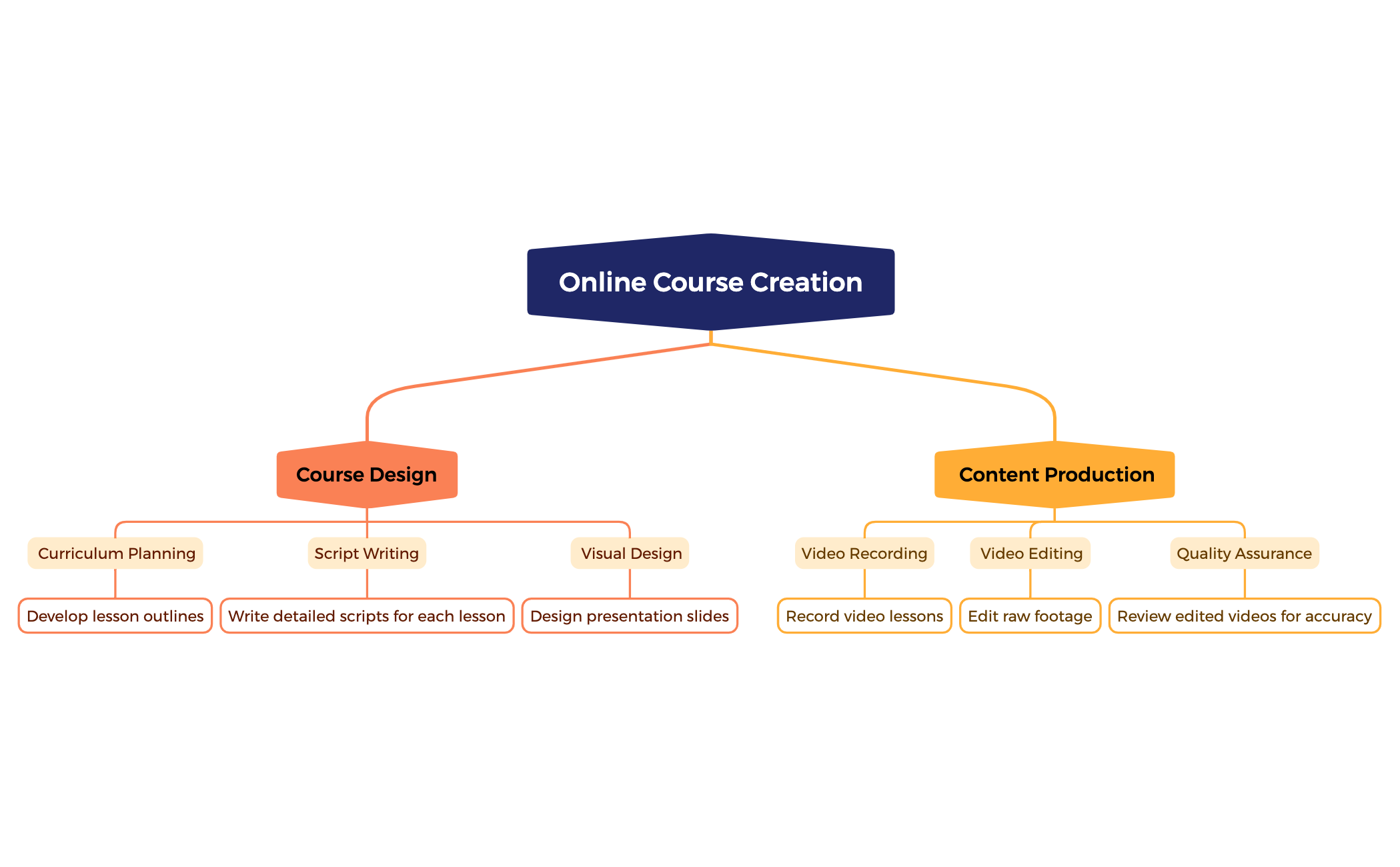
The Online Course Creation mind map template breaks down the end-to-end workflow for building a digital course, covering 15 nodes across two core branches: Course Design and Content Production. Designed for educators, instructional designers, and content creators, this template provides a structured checklist that includes 'Curriculum Planning' with lesson outlines, 'Script Writing' for detailed scripts, and 'Visual Design' for presentation slides. On the production side, it guides users through 'Video Recording', 'Video Editing', and 'Quality Assurance' to review edited videos for accuracy. This Xmind template serves as both a project roadmap and a quality control cheat sheet for launching a polished online course.
Términos y condicionesPlanning a new online course from scratch and need a step-by-step checklist.
Reviewing a course production pipeline to ensure no steps are missed.
Onboarding new team members to the course creation process.
Download the .xmind file and open it to explore the two primary branches for Course Design and Content Production.
Expand specific nodes like Curriculum Planning or Video Recording to replace placeholder text with your unique lesson outlines and production tasks.
Add sub-nodes for additional resources and export your finalized roadmap as a PDF or image to share with your production team.
The template includes 15 nodes organized under two main branches: Course Design (Curriculum Planning, Script Writing, Visual Design) and Content Production (Video Recording, Video Editing, Quality Assurance).
Open the .xmind file in Xmind, then expand the Course Design branch to outline your curriculum, write scripts, and design slides. Move to Content Production to record, edit, and review your videos.
Yes, the template is fully editable in Xmind. You can add, remove, or rearrange nodes. Export it as an image or PDF for printing.
Use the Quality Assurance node to systematically review each edited video for accuracy before publishing. The checklist format helps you catch errors.
Absolutely. The Visual Design node is a placeholder; you can add sub-nodes for slide themes, color palettes, or branding guidelines.
Comparte tus plantillas de mapas mentales con creadores de todo el mundo y empieza a ganar con tu trabajo.

