




Project managers and team leads
Evaluating mind mapping software for team adoption
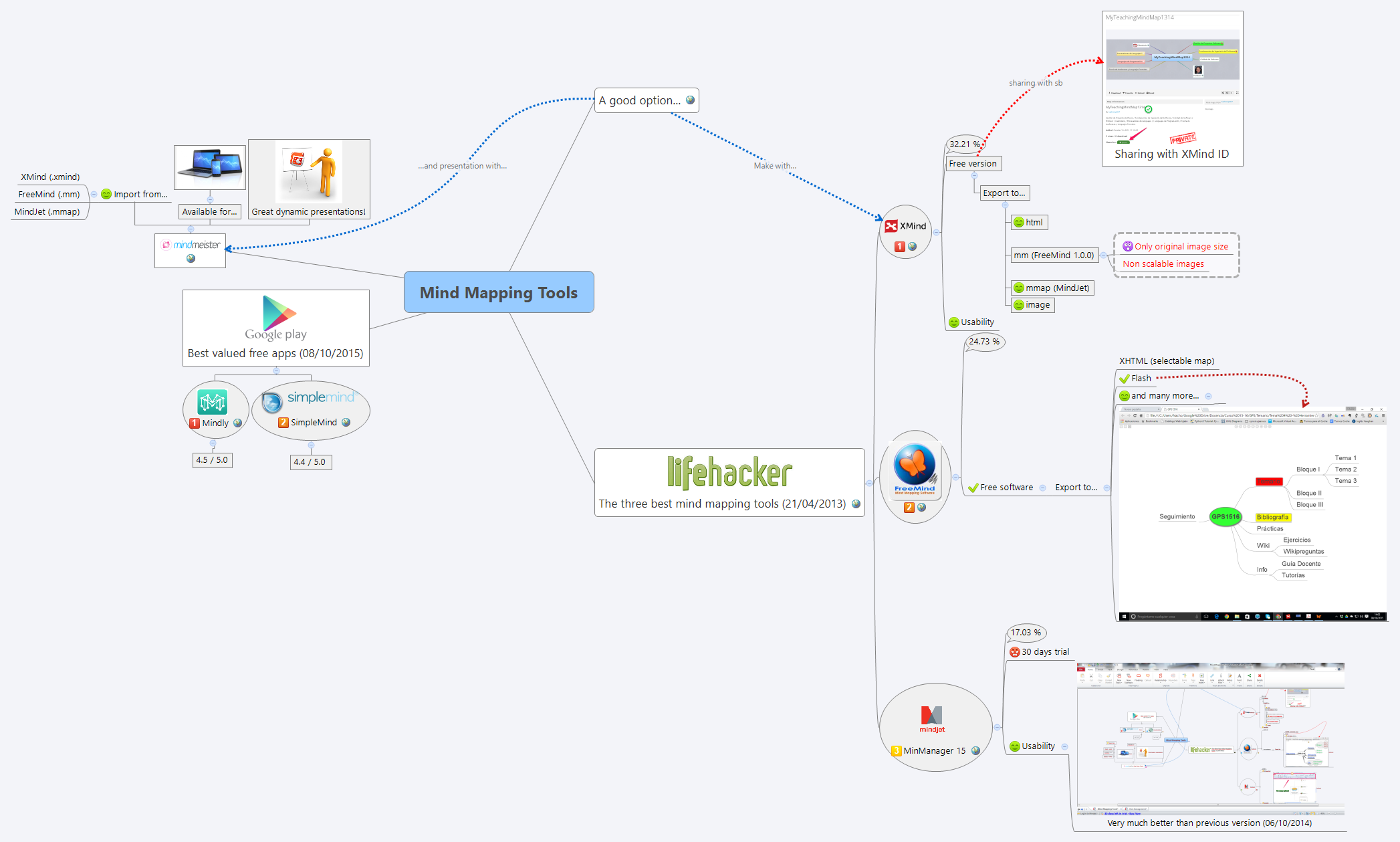
The Mind Mapping Tools template compares and evaluates popular mind mapping software, covering 4 major branches with 42 nodes. It includes detailed assessments of MindManager 15 (17.03% market share, 30-day trial), Mindly (4.5/5.0), and SimpleMind (4.4/5.0), as well as a section on sharing via XMind ID. This mind map template serves as a cheat sheet for selecting the right tool based on usability, pricing, and ratings. Key nodes like 'Usability' and 'Best valued free apps (08/10/2015)' provide structured comparisons. It is ideal for professionals and students evaluating mind mapping solutions.
이용약관Evaluating mind mapping software for team adoption
Comparing free vs paid mind mapping tools for personal use
Upgrading from an older mind mapping tool to a newer version
Open the .xmind file in Xmind (desktop or web).
Review the main branches: 'A good option...', 'The three best mind mapping tools (21/04/2013)', 'Best valued free apps (08/10/2015)', and 'Sharing with XMind ID'.
Click on any node to read details, such as ratings or trial information.
Customize the template by adding your own tools, updating ratings, or modifying branches.
Export the mind map as an image, PDF, or share it via XMind ID.
The template compares MindManager 15, Mindly, and SimpleMind, along with general recommendations and sharing via XMind ID.
MindManager 15 is evaluated with a 17.03% market share, a 30-day trial, and usability improvements noted from a previous version.
The template lists Mindly (4.5/5.0) and SimpleMind (4.4/5.0) as the best valued free mind mapping apps as of October 2015.
Yes, the template provides a structured comparison of features, ratings, and pricing to help you select the right tool.
Yes, you can open the .xmind file in Xmind and edit all nodes, ratings, and branches to fit your needs.
전 세계 크리에이터와 마인드맵 템플릿을 공유하고 작품으로 수익을 창출하세요.

