



Project Managers and Team Leads
Conducting an initial project kickoff meeting to identify major workstreams
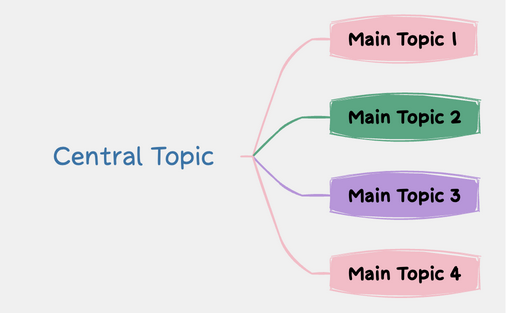
The Map 1 mind map template provides a foundational 4-branch radial structure designed for rapid brainstorming and conceptual organization. This Map 1 template serves as a versatile Map 1 cheat sheet for professionals and students who need to deconstruct a Central Topic into manageable segments. By utilizing a balanced layout featuring Main Topic 1, Main Topic 2, Main Topic 3, and Main Topic 4, users can ensure 360-degree coverage of any subject. This Map 1 mind map is engineered for clarity, allowing for the immediate visualization of relationships between a core idea and its primary supporting pillars. It is an essential tool for those seeking a clean, distraction-free canvas to kickstart project planning or creative ideation sessions.
Conditions d'utilisationConducting an initial project kickoff meeting to identify major workstreams
Drafting a high-level outline for a research paper or technical document
Facilitating a quick creative session to explore new product features
Download and open the .xmind file using the Xmind desktop application or the web-based editor.
Double-click the 'Central Topic' node to rename it with your specific project title or core question.
Select 'Main Topic 1' through 'Main Topic 4' to input your primary categories or key focus areas.
Press the Tab key while selecting a main topic to create child nodes for more detailed information and data.
The Map 1 template includes a central root node and four primary branches. It is designed as a high-level structural framework that you can expand by adding sub-topics, notes, and markers within Xmind to suit your specific project needs.
Simply open the template in Xmind and replace the 'Central Topic' with your main idea. Use the 'Main Topic' branches to categorize different aspects of your brainstorm, such as goals, risks, resources, and timelines.
Yes, every element in this template is fully customizable. You can change the text of 'Main Topic 1', adjust the color scheme, modify the structure from radial to logic chart, and add as many child nodes as necessary.
Assign a specific phase or department to each of the four main branches. For example, use 'Main Topic 1' for Research, 'Main Topic 2' for Design, and so on, to maintain a clean hierarchy.
Partagez vos modèles de cartes mentales avec des créateurs du monde entier et commencez à gagner avec votre travail.

