




New homeowners or renters furnishing their first space.
Planning a full apartment furnishing trip to IKEA with a budget in mind.
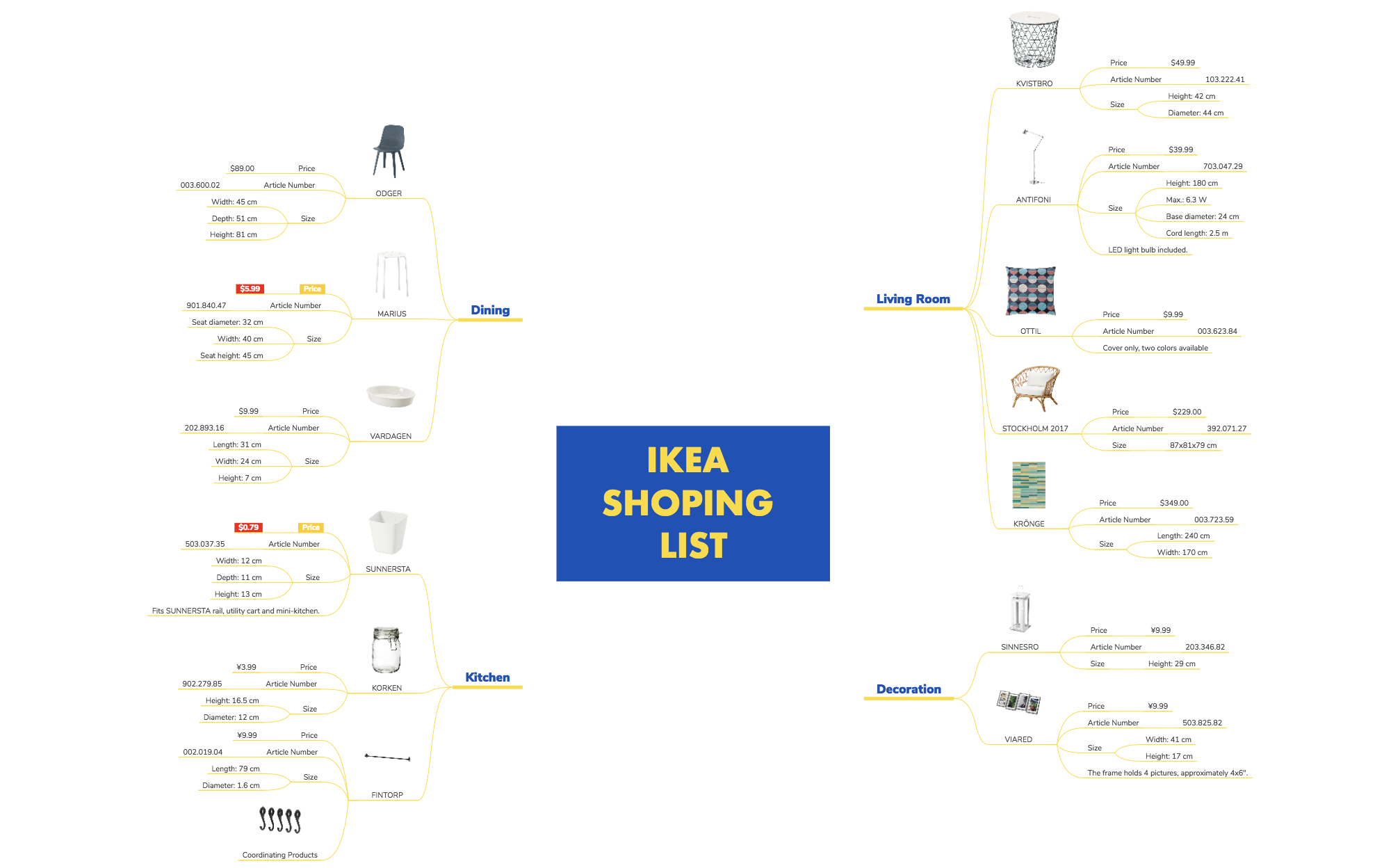
The IKEA Shopping List mind map template organizes 115 items across four core home categories: Living Room, Decoration, Kitchen, and Dining. Each product node includes price, article number, and size details—for example, the ANTIFONI floor lamp (Article Number 703.047.29) and the KRÖNGE rug (240x170 cm). This Xmind template serves as a structured cheat sheet for planning IKEA purchases, helping shoppers compare options and track costs before visiting the store. The layout uses a central root with four main branches, each listing products with their specifications, making it easy to budget and prioritize. Whether you're furnishing a new apartment or updating a single room, this template turns a chaotic shopping trip into a focused, data-driven experience.
Terms and ConditionsPlanning a full apartment furnishing trip to IKEA with a budget in mind.
Comparing specific product specifications like size and price before purchasing.
Tracking multiple items across different IKEA departments to avoid forgetting anything.
Open the template in Xmind to browse the four main branches covering Living Room, Decoration, Kitchen, and Dining items.
Click on product nodes to view specifications like article numbers or add your own items by inserting new child nodes.
Organize your budget within the map and export the final list as a PDF or image for easy reference while shopping.
The template contains 115 product nodes organized into Living Room, Decoration, Kitchen, and Dining. Each product includes price, article number, and size details.
Open the .xmind file in Xmind, then browse the four category branches. Add or remove products, update prices, and check off items as you shop.
Yes, the template is free to download and fully editable in Xmind. You can customize product details, add new items, or reorganize categories.
Yes, you can export the mind map as a PDF or image and print it. The structured layout makes it easy to carry a paper copy to the store.
Use the branch structure to compare items side by side. For example, compare the ODGER ($89) and MARIUS ($5.99) chairs in the Dining branch.
Share your mind map templates with creators around the world and start earning from your work.

