



Junior and mid-level QA candidates
Preparing for a software testing job interview
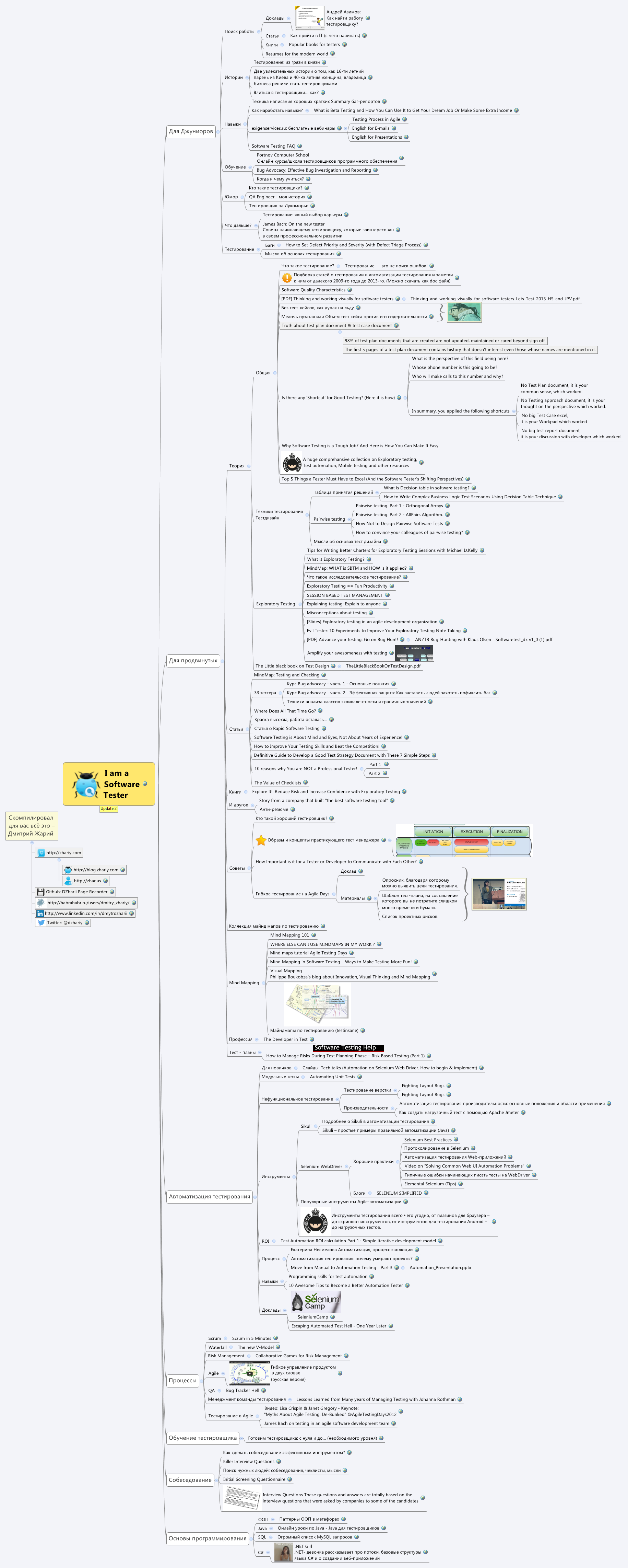
This Software Tester mind map template, compiled by Dmitry Zhariy, organizes 218 nodes across 7 major branches covering the entire QA career spectrum. It includes dedicated sections for juniors (job search, skills, learning), advanced testers (theory, books, test plans), automation (tools, ROI, unit tests), processes (Scrum, Agile, Risk Management), interview preparation (Killer Interview Questions, Initial Screening Questionnaire), and programming basics (OOP, Java, SQL, C#). The template serves as a comprehensive cheat sheet and roadmap for anyone pursuing or advancing in software testing.
Điều khoản sử dụngPreparing for a software testing job interview
Building a test automation strategy from scratch
Onboarding new testers into an Agile team
Open the .xmind file in Xmind desktop or web application.
Browse the main branches (e.g., 'Для Джуниоров', 'Автоматизация тестирования') to explore the content.
Click on any node to expand sub-nodes and access detailed resources or checklists.
Customize the template by adding your own notes, links, or icons to track your progress.
Export the mind map as an image, PDF, or markdown for sharing or printing.
The template covers 7 main areas: junior testing, advanced testing, test automation, processes, tester training, interviews, and programming basics. It contains 218 nodes with resources, tips, and structured knowledge.
Navigate to the 'Собеседование' branch to find killer interview questions, screening questionnaires, and checklists. Use the 'Interview Questions' node to practice common QA interview scenarios.
Yes, the template is free to use and fully editable in Xmind. You can customize nodes, add your own resources, and reorganize branches to fit your learning path.
The 'Автоматизация тестирования' branch includes sections for beginners, unit tests, non-functional testing, tools, ROI, process, skills, and presentations.
Absolutely. The 'Обучение тестировщика' and 'Процессы' branches provide structured content for training testers from scratch and managing QA processes in Agile or Waterfall.
Chia sẻ mẫu sơ đồ tư duy của bạn với người sáng tạo trên khắp thế giới và bắt đầu kiếm tiền từ tác phẩm của mình.

