




LMS administrators and project managers
Kicking off a new LMS implementation or upgrade project
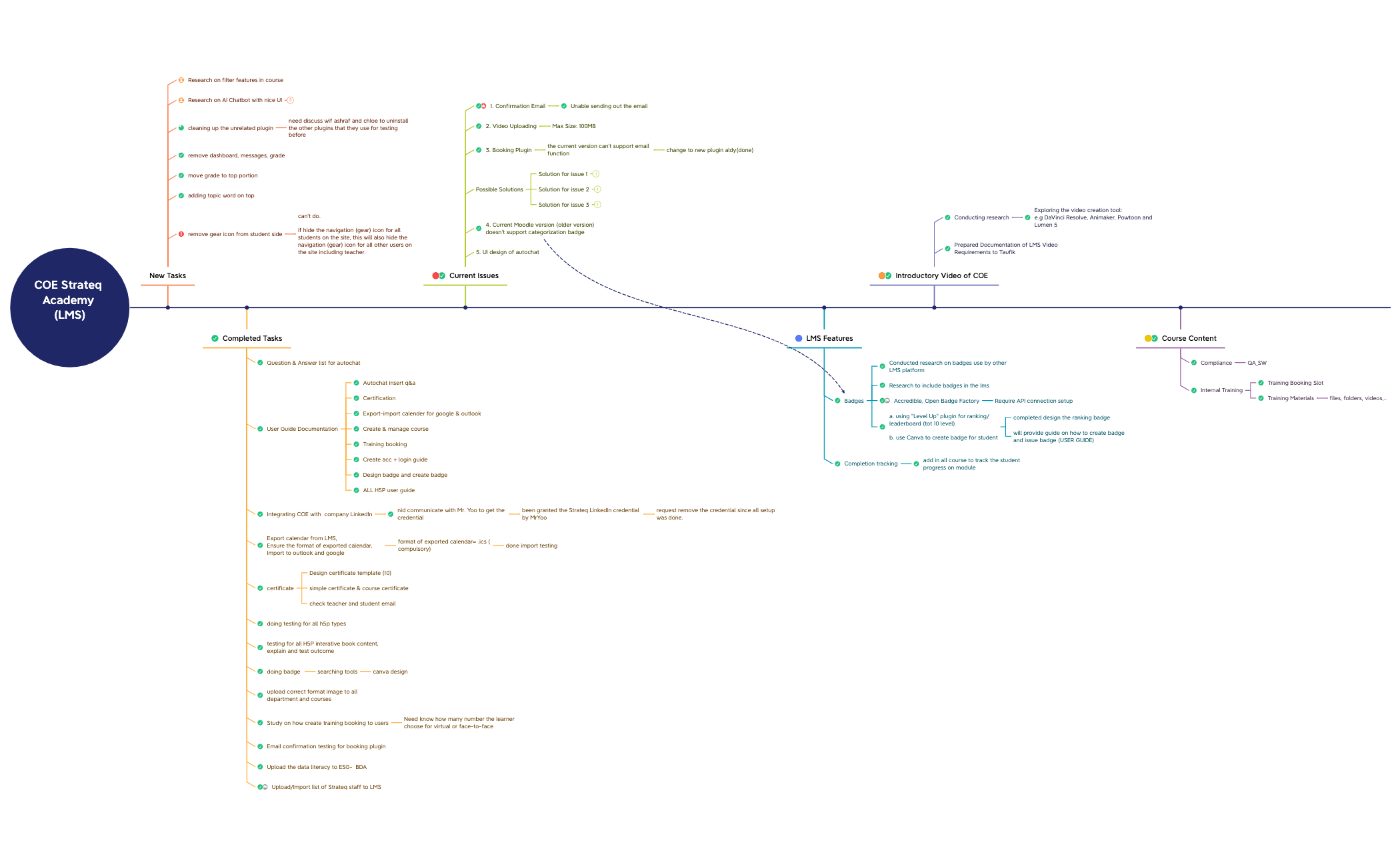
The COE Academy Strateq mind map template provides a comprehensive 86-node strategic framework for managing a Learning Management System (LMS) implementation. It covers key areas such as new tasks, completed tasks, current issues, LMS features, introductory video creation, and course content. The template includes specific nodes like 'Research on AI Chatbot with nice UI' with tool comparisons (Dialogflow, BotStar, IBM Watson assistant at USD 140/month), 'User Guide Documentation' covering 8 topics from Autochat to H5P, and 'Current Issues' such as email confirmation failures and video upload limits of 100MB. This COE Academy Strateq template serves as a project management and knowledge base tool for LMS administrators and instructional designers.
Terms and ConditionsKicking off a new LMS implementation or upgrade project
Tracking and resolving technical issues during LMS rollout
Creating user documentation and training materials for an LMS
Open the COE Academy Strateq template in Xmind to navigate the pre-structured branches covering LMS features, task statuses, and course content.
Edit the existing nodes to update current issues, document AI chatbot research, or refine the user guide topics based on your specific project requirements.
Apply visual markers to prioritize LMS implementation tasks and export the final strategic map as a PDF or image for team collaboration.
The template includes 86 nodes covering new tasks, completed tasks, current issues, LMS features, introductory video planning, and course content. It features specific items like AI chatbot research, user guide documentation, badge design, and completion tracking.
Use the 'New Tasks' and 'Completed Tasks' branches to track progress. The 'Current Issues' section helps document problems and solutions. You can customize nodes to reflect your own LMS implementation milestones.
Yes, the .xmind file is fully editable. You can add, remove, or modify nodes. Export as PDF or image for printing or sharing with your team.
The template covers Badges (including research on Accredible and Open Badge Factory), Completion tracking, and Autochat integration. It also includes user guide documentation for 8 LMS features.
Absolutely. The structure is generic enough to adapt for any corporate training or educational LMS rollout. Replace the specific tasks and issues with your own project details.
Share your mind map templates with creators around the world and start earning from your work.

