 Xmind Favorites
社交行为中的分享基因
Free

'%3e%3cpath%20d='M5.8002%2011.6C5%2011.8144%204.2002%2012.32%204.2002%2013.2V15.8C4.2002%2016.68%205%2017.1856%205.8002%2017.4L21.8002%2021.2C22.6802%2021.456%2023.4002%2020.832%2023.4002%2019.92V8.08001C23.4002%207.16801%2022.6802%206.54401%2021.8002%206.80001L5.8002%2011.6Z'%20stroke='%235EBAB2'%20stroke-width='1.92'%20stroke-linejoin='round'/%3e%3cpath%20d='M8%2018V25.25C8%2026.7625%208.75%2028%209.66667%2028H11.3333C12.25%2028%2013%2026.7625%2013%2025.25V19.5'%20stroke='%235EBAB2'%20stroke-width='1.92'%20stroke-linecap='round'%20stroke-linejoin='round'/%3e%3cpath%20d='M26.5996%2010C28.1996%2011.92%2028.1996%2016.08%2026.5996%2018'%20stroke='%235EBAB2'%20stroke-width='1.92'%20stroke-linecap='round'/%3e%3c/g%3e%3cdefs%3e%3cclipPath%20id='clip0_11502_53017'%3e%3crect%20width='32'%20height='32'%20fill='white'/%3e%3c/clipPath%3e%3c/defs%3e%3c/svg%3e)
323 templates · Easy social media plan templates to organize content, channels, and posting schedules.
Xmind Favorites Xmind Favorites
 Xmind Favorites
 Xmind Favorites
 Xmind Favorites
 Xmind Favorites
 Xmind Favorites
 Xmind Favorites
 Xmind Favorites
 Xmind Favorites
 Xmind Favorites
 Xmind Favorites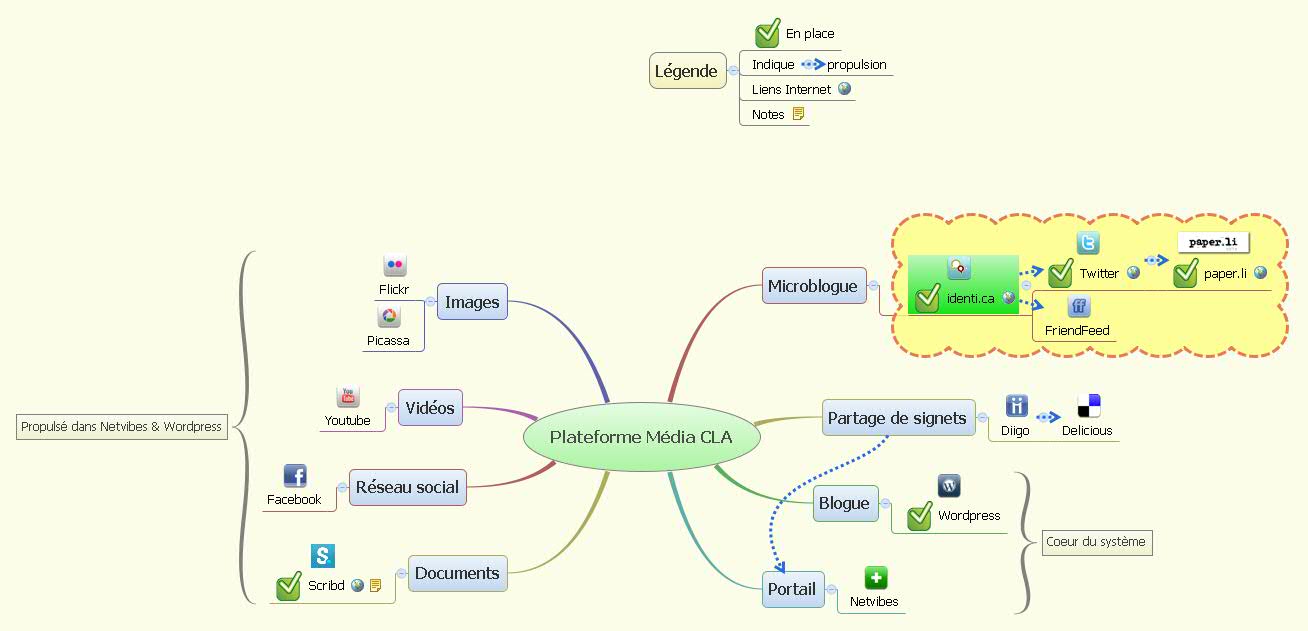
Plan content calendars, organize channels, and grow your audience with Xmind.
Social media plan template options within Xmind allow teams to visualize complex digital strategies across multiple social channels. Marketers, team leads, founders, and analysts use these templates to map out content calendars, platform-specific matrix strategies, and engagement tracking metrics for networks like Instagram and LinkedIn. By centralizing posting schedules and cross-channel distribution logic in a visual format, social media managers can see the relationship between high-level brand goals and daily execution. The library includes structures for campaign brainstorming, influencer outreach tracking, and weekly engagement reporting. These templates serve as a single source of truth for PMs and creative teams to align on messaging before moving into production. Whether you are managing a single brand or a portfolio of accounts, these visual frameworks help organize the chaos of real-time social communication into a manageable, long-term roadmap.
Social media managers can use the matrix structure to compare content pillars against different platform requirements like Instagram Reels and LinkedIn articles.
The visual-first structure allows team leads to see an entire month of social posts and distribution channels in a single view.
Xmind AI Copilot helps marketers brainstorm creative hooks and caption ideas directly within the social media plan template structure.
Analysts can export visual campaign reports into PNG or PDF formats to present engagement trends and growth data to stakeholders.
The nonlinear canvas supports mapping out complex community management workflows and crisis response protocols alongside standard posting schedules.
Select a framework Browse the library to find a social media plan template that matches your specific platform strategy or content calendar needs.
Map content pillars Define your core brand themes and distribute them across the mind map branches to ensure a balanced posting frequency.
Schedule platform distribution Assign specific dates and times to each node to create a visual timeline for Instagram, LinkedIn, and Twitter updates.
Integrate tracking links Add hyperlinks to your campaign assets and UTM-tagged URLs directly into the map to coordinate execution and track performance.
Export for execution Save your completed social media plan as an image or Markdown file to share with your creative team for production.
Many community Social Media Plan templates are free for anyone to open and use immediately. Premium templates require a one-time purchase per file rather than a recurring subscription. After buying a premium template, you own the file permanently and can edit it offline in the Xmind app.
Turn your best mind maps into templates the whole community can use.
