
 Xmind Favorites
Tecnologias de Informação e Conhecimento
Free


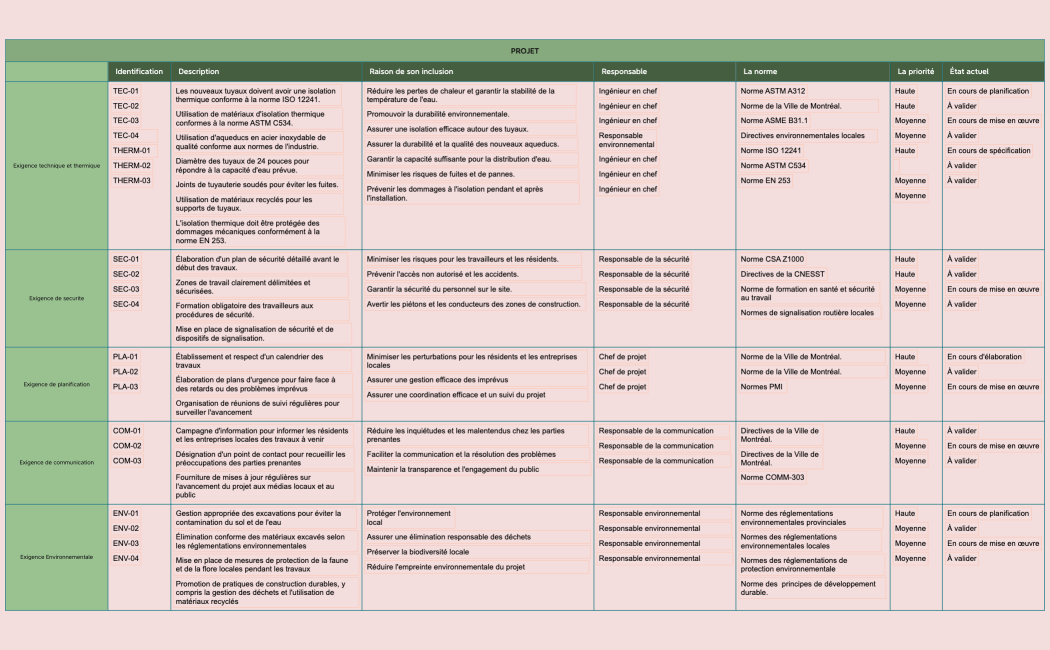
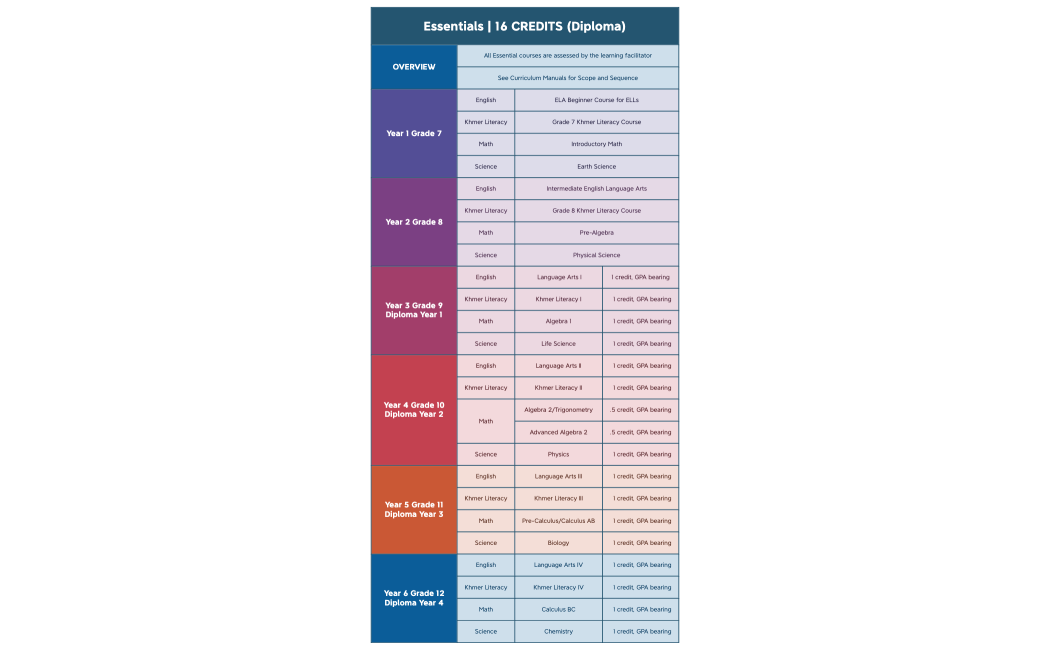
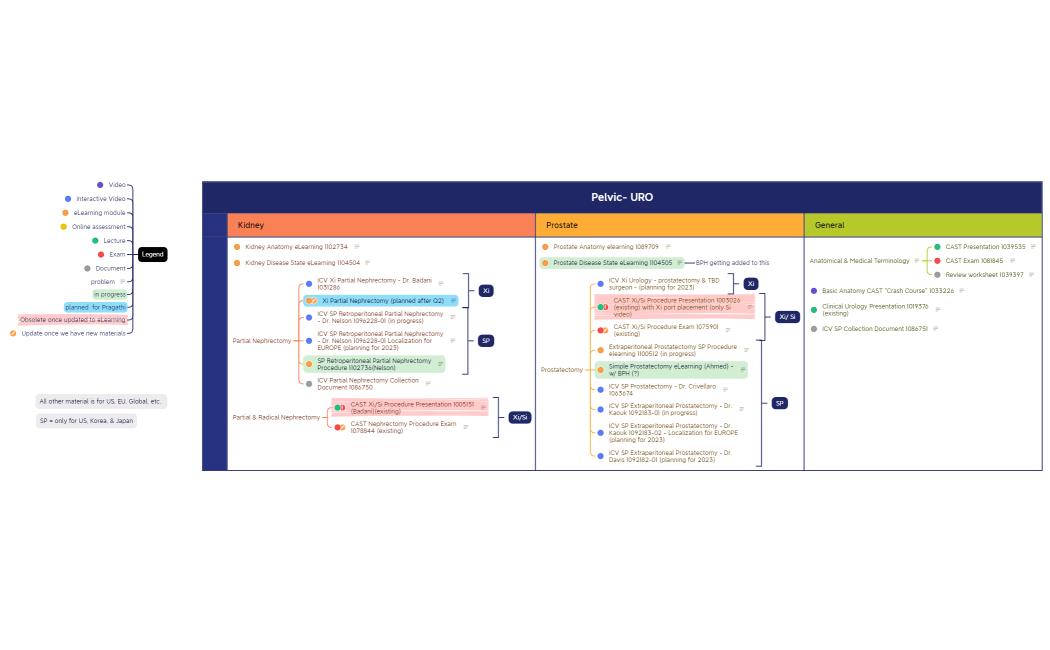
271 templates · Comprehensive curriculum map templates to align courses, units, and outcomes.
Xmind Favorites Xmind Favorites
 Xmind Favorites
 Xmind Favorites
 Xmind Favorites
 Xmind Favorites
 Xmind Favorites
 Xmind Favorites
 Xmind Favorites
 Xmind Favorites
 Xmind Favorites
 Xmind Favorites
Align courses, units, and learning outcomes across your curriculum with Xmind.
A curriculum map template provides a structured visual framework for educators and administrators to align learning objectives with academic standards. This use case covers the systematic visualization of academic pathways, ensuring that competency alignment is consistent across different departments or individual courses. For teachers, it serves as a blueprint for synchronizing teaching goals with student outcomes, while students and self-learners can use these maps to track their progress through complex subjects. The available templates offer various layouts to help users identify gaps in instruction or redundancies in course content. By utilizing these visual tools, academic professionals can better communicate the scope and sequence of a program to stakeholders. These templates facilitate a holistic view of the educational journey, making it easier to manage prerequisites and corequisite requirements within a unified digital environment.
Visualize complex academic pathways by linking core competencies to specific lesson plans and assessment methods within a single map.
Identify instructional gaps or content redundancies across different departments using the non-linear structure of a professional curriculum map.
Utilize the AI Copilot to generate initial learning objectives or brainstorming sub-topics for new course modules instantly.
Export high-resolution diagrams to PDF or PNG formats for inclusion in official accreditation reports and departmental handbooks.
Organize large-scale educational data into digestible branches that allow administrators to see the big picture of a program.
Select a curriculum map template Browse the library to find a layout that matches your specific academic level or departmental structure.
Define your learning objectives Input your primary course goals into the central topic and branch out into specific student performance indicators.
Align standards and assessments Connect each curriculum module to its corresponding state standard or internal competency using relationship lines and labels.
Customize the visual hierarchy Apply different colors or boundary shapes to distinguish between core requirements, electives, and prerequisite bridge courses.
Share with academic stakeholders Export your completed map to share with faculty members or upload it to a learning management system for student access.
Many community Curriculum Map templates are available for free and can be opened immediately. Premium templates require a single one-time purchase per file instead of a recurring subscription. Once you own a template, you can keep the file permanently and edit it offline using the Xmind app.
Turn your best mind maps into templates the whole community can use.
